
Mint Transaction Widget for iOS: Track Spending Instantly
Minters – Say hello to our newest feature, the Mint Transaction Widget on iOS!
With the new Mint widget, you can now track your spending faster than ever without even opening the Mint app. It’s customizable, so you can change your view depending on whether you want to see your last 1, 3, or 5 transactions. Designed to be both convenient and secure, the new transaction widget will never show up on your lock screen.
How to Get Started
Step 1: Touch and hold an empty area on your home screen.
Step 2: Tap the plus sign (+) in the top left corner.
Step 3: Search or scroll to find Mint and tap “add widget” when it pops up.
Step 4: Choose the widget format you like best. Now you have a view of your transactions without needing to open the app!
Insider tip: if the line item is grey on the widget it means the transaction is pending. The widget is also available in dark mode.
The Budgeting Tool You’ve Been Looking For
Mint is here to be your all-in-one finances app, where you can connect your accounts, bills, and more – in just one place. And that’s why we’ve rolled out new features like the Transaction Widget, the This Month tab, and personalized Alerts. You deserve a better holistic view of your financial picture, and we’re here to give that to you!
Whether you’re just starting out, or have been budgeting for a while, the Mint widget empowers you to quickly access your finances any time, any place – within seconds. With the transaction widgets, tracking your spending has never been easier.
Try it out for yourself to stay on top of your finances!
-
Build New Habits: A Simple Evening Routine for Lasting Change
I wanted to make it a habit. Make what a habit, you might be wondering? Well, lots of things, but this particular time, I wanted to spend five to ten minutes every night brainstorming ideas, cr
-

Financial Planning for New Families: 5 Essential Tips
Babies cost big money, but by keeping your financial planning simple, youll be able to cover the most crucial saving areas. If youve got a new baby in the house, youre probably more concerned
budget
- Mint Budget Widget for iOS: Track Spending at a Glance
- Mint Budgeting: Free Tools & Tips to Take Control of Your Finances
- Pet Budgeting: A Comprehensive Guide to Costs & Care
- Mint.com: A Comprehensive Guide to Personal Finance Management
- Create a Budget That Lasts: Your Guide to Financial Success in the New Year
- Mint.com for Small Business Budgeting: Streamline Finances & Grow
- Mint iOS Redesign: A Deep Dive by TechSesh's Jessica Naziri
- Rocket Mortgage: Simplifying Home Buying for First-Time Buyers in a Competitive Market
- Robinhood Cash Management: Is It a Checking Account Replacement?
-
 Mastering Monthly Budgeting in YNAB: A Step-by-Step Guide
One day—probably more than one day—but less than 32 days after you’ve been using You Need a Budget (okay, definitely less, definitely), you’re going to start a new month in YNAB and the o...
-
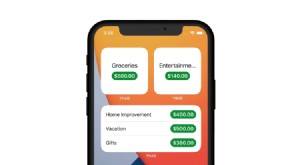 YNAB Mobile Widgets: Instant Financial Insights at Your Fingertips
You’re about to go by your favorite coffee shop. But wait, how much do you have left in your coffee budget? You only have seconds to make the decision. You open your phone, scroll, tap, tap tap tap, ...