
magicJack: Affordable VoIP Service Review - Save Money on Phone Bills
With the continued improvements made in technology, it seems the better something becomes, the more expensive it becomes. Rightfully so. I suppose as it takes millions of dollars in research and trials before something is “ready to use” but sometimes, we’re lucky enough to see technology advance us and allow us to save money at the same. Enter, magicJack.
Why magicJack is AWESOME
For the last three years, I’ve been overpaying for my cell phone service. Partly because I never use my cell phone and that $50 a month for 400 minutes of talking is already a tough sell. I had heard of internet phone services like Skype, Vonage, Ooma, and magicJack before but was always hesitant to test them out. But the more I had researched magicJack, the more I wanted to give them a go. The initial cost of $40 for the magicJack and a year’s worth of service was certainly a lot less than Skype and Vonage and if it didn’t work, I could always return it within the 30-day free trial period. So I went for it and I’m kicking myself for not going for it sooner.
Setting up magicJack
The magicJack arrives in a Styrofoam cover and the entire package can’t weigh more than half a pound. Included in the package are two pieces of hardware; the magicJack and a USB extension cord of around 6 inches. The directions to install the magicJack are about as simple as you’ll ever find directions to be:
- Plug any phone into magicJack
- Plug magicJack into any USB port
- Pick up your phone and talk for free
An added expense of magicJack, at least for me was the one time purchase of a Panasonic phone because I didn’t not have any handsets available. $40 spent and I was ready to follow the directions.
Plugging in the phone to magicJack, then plugging magicJack into my USB port took all of 10 seconds and the magicJack installation screen appeared immediately. This is even easier than the Ooma Telo setup, which is still a very easy system to install.
I was able to register the product, then select pretty much any unused phone number I wanted in the US. I stuck with my normal area code and had magicJack pick a random number for me because a vanity number would cost me an additional $3 a year. After a couple of minutes spent, I was all ready to give magicJack a test run.
I made a couple of local calls, followed by a couple of long-distance calls and they were all flawless. My current cell phone reception stinks so an added benefit of convenience and price was connectivity and even after a few weeks of having magicJack, I have never had a call dropped or lousy call quality. It’s strange for me to have a dial tone before I dial a number but it’s an easy adjustment. 🙂
Another great feature of magicJack is the ability to use it internationally. MagicJack allows users to call the US and Canada for free FROM ANY COUNTRY so I could be vacationing in Italy, plug the magicJack into a friends computer out there and call back to the family for free. While I can’t attest to the call quality of international calls, I would imagine everything to be just as good as if I were calling someone down the street.
How magicJack Can Become Even Better
Even though my telephone life has become much simpler with magicJack, there are still a couple of things that could be improved. I may be nitpicking a bit but for true convenience, I make the following two observations:
1. The magicJack interface is something that needs to always be open, so when you receive a phone-call, the screen pops up on your computer. Sometimes when you’re in the middle of writing an email or just typing something in, you can accidentally have the call go straight to voice-mail. A few times already, I have been writing an article only to hear the phone ring. I punched a few keystrokes in after the magicJack screen popped up and the call was missed. It’s frustrating sometimes for this to happen and to my knowledge it cannot be avoided.
2. For magicJack to function, your computer needs to be turned on at all times. If you receive a call while your computer is off, the call with go straight to voice-mail, which I guess isn’t all terrible but I would still prefer a way to have my desktop turned off and still be able to make a phone call.
The Value of magicJack
 With the $40 phone purchase and the $40 magicJack purchase, I have spent a total of $80 for my first year of phone service. Had I continued to use my cell phone, that’s a savings of $520 just in the first year. Each additional year will only cost me $19.95, so we’re talking a $580 savings each additional year I choose to keep magicJack. AND, if you really like what magicJack has to offer, you can sign up for five additional years of service at a discounted rate of $69.95 and save even more!
While having a cell phone when you’re on the road can be invaluable if something happens, for a guy like me that works from home, it’s easy to only use magicJack. Even if you want to still use your cell phone, you can reduce the plan to as small as possible, perhaps even adding your line to someone else’s plan for maximum savings. I’m confident that if you try magicJack, you’ll still be using it after your 30-day free trial period and after a few years of amazing service.

-

Commodities Investing: Why Experts Predict Future Growth
Commodities are like stocks and other securities. There values could theoretically go up and down over the long term. Some experts have been suggesting that the future holds a particularly good time t
-
Understanding Customer Dissatisfaction: Causes & Solutions
When the suppliers are unable to entertain customers or their business strategies fail to build a good relationship with customers, they probably end up with customers’ dissatisfaction. Their can
budget
- Understanding Your Credit Score: What It Is & Why It's Important
- Is a Gym Membership Worth It? A Financial & Wellness Analysis
- Unlock Affordable Adventures: The Joy of Budget Travel
- Unlocking Sustainable Value Creation: Beyond Intuition for Executives
- Used Cars vs. New Cars: Which is the Better Financial Choice?
- Avoid Early Termination Fees: How to Transfer Your Cell Phone Contract
- Cell Phone Insurance: Is It Worth the Cost?
- The Importance of Budgeting: Unlock Financial Freedom & Fun
- Struggling to Save? Simple Strategies to Boost Your Savings
-
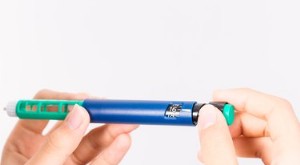 The High Cost of Insulin: Understanding the Price Hike & Options
According to the American Diabetes Association, 34 million Americans have been diagnosed with diabetes. Of these, almost 1.6 million have type 1 (T1) diabetes and require t...
-
Cell Phone Insurance: Protect Your Device & Wallet | [Your Brand]
Unexpected cell phone repairs or replacements can leave you on the hook for several hundred dollars, but the right cell phone insurance policy can help make it more affordable. When you purchase a ...