
Ecommerce Personalization: A Comprehensive Guide to Scaling Customer Loyalty
The holy grail of retail business longevity is growing and keeping a loyal customer base.
Keeping customers happy and loyal requires a fine blend of optimizing both your product offering and customer experience.
The most successful retailers continually improve their product offering to new and existing customers as well as nurture their customers’ shopping experience in a way that continuously makes customers welcome and happy shopping with them.
This 3-part guide aims to address how retailers of varying sizes can optimize their customers’ personalized shopping experience with.
Personalization Starts with Data Collection
Before we get into the practical application of a personalized experience, it really is important to establish the foundation of personalization: data collection.
The cornerstone of personalizing any step in your customers’ journey – from discovery to purchase and to repeat purchase – is data collection.
Here are critical data collection points that power ecommerce personalization:
- Traffic.
- On-site interactions (category and product page visits).
- Email.
- Personal Data.
- Paid Media Pixels (both social and search).
- Purchases.
- Search.
- Pricing.
It is also vital to understand:
- What data points to track.
- Who you are tracking.
- When you track data – which most often is in real-time.
- How you track i.e. the tools and platforms to use.
All best-in-class personalization platforms are driven by artificial intelligence and machine learning; which track on-site and customer data points in real time and then deliver a unique personalized experience to each site visitor (whether window shoppers or customers).
With the infrastructure in place to efficiently and accurately collect data in real time, the next step is formulating a personalization strategy around your specific needs and size of your business.
The personalized shopping strategy you employ will typically depend on the size of your customer base, the volume of sales your store generates and also the tools you use to deploy personalization.
Here is a general guideline on what to personalize based on the size of your ecommerce operations:
| Data Segments | What Can Be Personalized? | Tools to Help | Business Size | |
|---|---|---|---|---|
| Traffic | Traffic Segments: Geo, Returning vs First Time Visits, Referral Traffic, Device | Currency, Content, Product Display On Category pages, Onsite Popups | Exit Intel, Nosto, BigCommerce has an inbuilt currency converter | Small, mid-tier and enterprise |
| Personal Data | Name Gender Location | Onsite Popups, Onsite product recommendations, Email product recommendations, Paid media recommendations, Welcome messages | BigCommerce, Nosto, Exit Intel, Justuno, Omniconvert | Small, mid-tier and enterprise |
| Newsletter Subscribers Cart Abandonments New Customers Repeat Purchasers High-Value Customers Non Purchasers | Newsletters, Marketing automation, Product recommendations, Sales Offers, Special events, Surveys | Klaviyo. dotmailer | Small, mid-tier and enterprise | |
| Paid Media | Funnel Data: All Visits Product Page Views Category Page Views Add to Carts Checkout Sessions Purchases | Retargeted Advertising on: Facebook, Google, Content Discovery Platform | Perfect Pixel, Criteo, Perfect Audience, Adroll, Taboola Outbrain | Small, mid-tier and enterprise |
| Onsite Product Recommendations | Product | Product displays on category pages, Upsells and cross-sells on Product pages, Cart and Checkout | Rich Relevance Nosto, Segmentify | Mid-tier and Enterprise |
| Onsite Search | Search queries | Search results, Product recommendations | Algolia, SearchSpring | Mid-tier and Enterprise |
| Push Notifications | Traffic: Geo, Name, Onsite Behavior | Announcements, | PushCrew | Mid-tier and Enterprise |
| Pricing | Customer Location, Customer Type i.e. returning vs first-time customers, Product price | Dynamic Pricing | Omnia, Prisync, Wiser | Mid-tier and Enterprise |
| Post Purchase | High-Value customers | Packaging, Product recommendations | Thank-You Cards and Personal Notes, | All businesses |
| All-In-One personalization Platforms | Customer Data, Purchase History, Onsite Activity, Marketing Automation | Single Customer View | Ometria, Monetate Barilliance | Enterprise |
| Checkout Page | Customer Data, Geo Data | Location information i.e. default to the country of shoppers’ IP address, One-click checkout | BigCommerce | Small, mid-tier and enterprise |
This guide will take you through 3 phases of ecommerce personalization.
I’d advice online retailers to use the CRAWL – WALK – RUN approach here.
Customized content and pricing by traffic segments (CRAWL)
As an etailer, endeavor to avoid making generalizations on the intent of site visitors and traffic, as all traffic is in fact not equal.
Some sources and segments of traffic are much more valuable than others.
It is pertinent to understand traffic segments and serve each segment with its deserved attention.
In the real world for instance, when you frequent a coffee shop, you typically get preferential treatment from the baristas who probably beat you to saying out loud your ‘usual’ order.
Traffic or visitor segmentation is the first step in personalization because the closer you can get to at least the broad expectations of visitors, the more engaging an experience you can drive.
The ability to serve tailored content to an otherwise anonymous segment of users (web traffic) is the first step in personalization.
So how do you go about segmenting traffic?
Here are 6 broad traffic segments:
- New visitors, returning visitors (non-customers) and returning visitors (customers): You want to make a clear distinction between new and returning visitors as well as go further by identifying returning visitors as either existing customers or non-purchasers.
- Traffic sources: Clearly segment visitors via the channels that they arrived from, i.e. email marketing, special offers, Pay Per Click (PPC), social, organic search and referral URL.
- Geolocation / IP address: Probably the most commonly used type of segmentation –– segment visitors by language, currency, country, region, city and local weather condition.
- Behavior: There is a range of options here; segment visitors by returning and new visitors, drilling into returning visitors, you can further segment by days since their first or previous visit.
- UTM parameters: You should also be able to use UTM parameters to segment by utm_source, utm_medium, utm_term, utm_content and utm_campaign.
- Device: Mobile, tablet or desktop. Other device specific parameters for segmentation include: operating system, browser name, screen width & height.
Serving Dynamic Content to Traffic Segments
After you have established your most important segments, you want to deliver personalized experiences by serving each traffic segment with dynamic content.
So, from our traffic segmentation examples above, here are 6 ways to serve each segment dynamic content.
1: For returning visitors (both non-customers and customers).
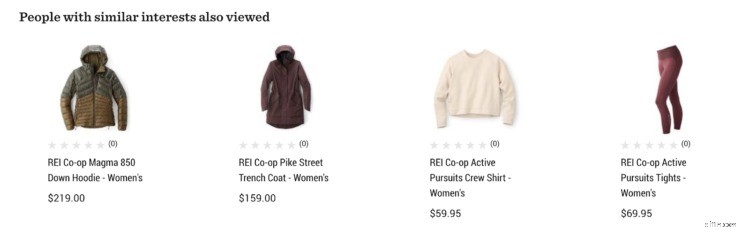
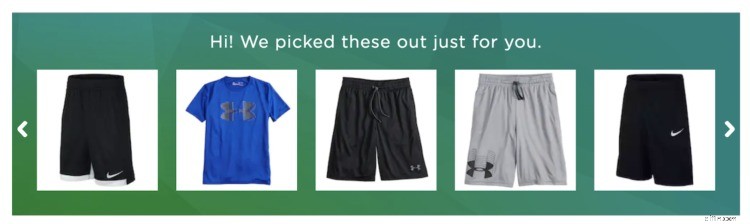
Display their previous browsing history in a section designated ‘recently viewed items.’
Here are examples from REI’s homepage:
And Kohls’s homepage:
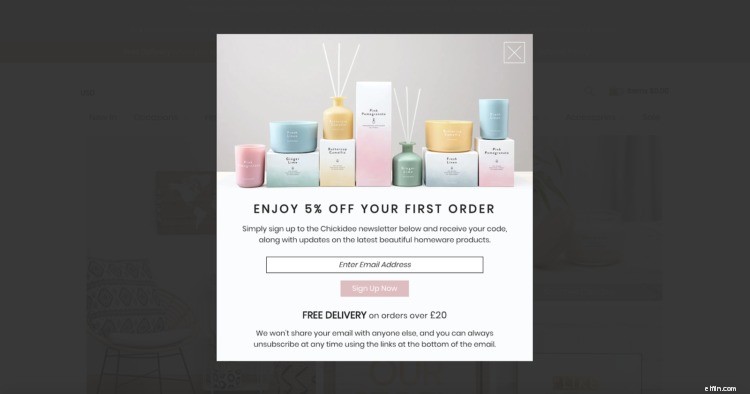
For first time visitors and returning customers, you could serve them a modal with a coupon on their first order just as Chickidee has done here:
2: Traffic sources.
Traffic sources can tell you a lot about a buyer, including intent, interests and industry, as well as how close they are to purchase.
By serving different content to visitors coming from different sources, you can increase the relevance of your messaging and motivate buyers through their buyer’s journey.
Traffic from Amazon ads might have more intent than traffic from Facebook, so customizing landing pages by adding 1-time coupon codes or free next day shipping might tip the balance for conversions.
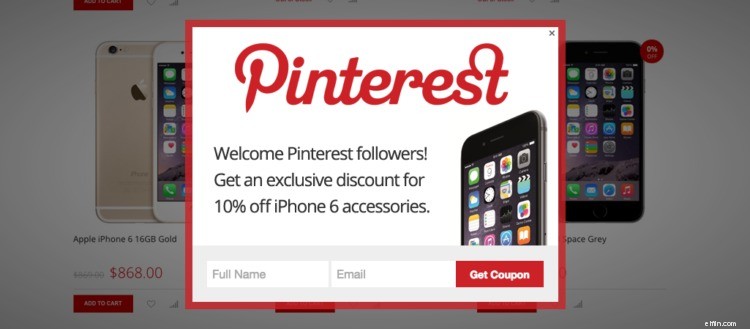
Image source.
3: Geolocation / IP address.
Geolocation targeting is founded on the IP address of visitors.
The example below from TopMan.com recognized my UK IP address and made a currency switch recommendation to GBP (£).
It also wants to personalize prices if I indicate I am a student.
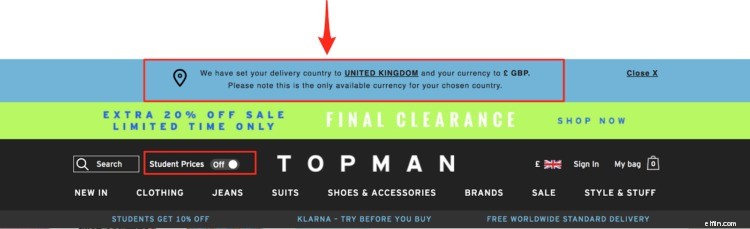
Another way of Geo-Location personalization based on IP address is by retrieving the current weather at the shoppers IP to make product recommendations like Burton has done in this example:
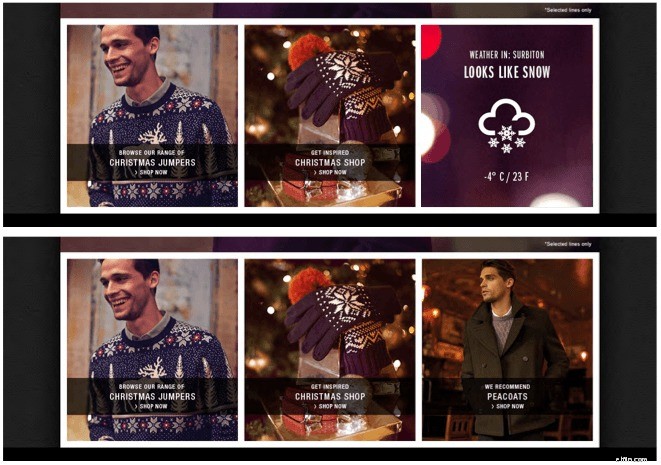
Image source.
4: Behavior.
Naked Wines welcome new visitors with an entirely different home page and navigation menu.
This level of personalization of new first time visitors is geared and optimized to onboard them as customers and members of their wine club.
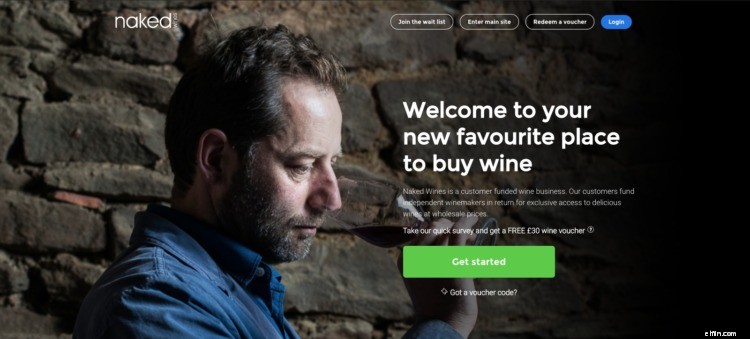
Signed in visitors are also made to feel at home with personalized messages addressing them by first name on the home page.
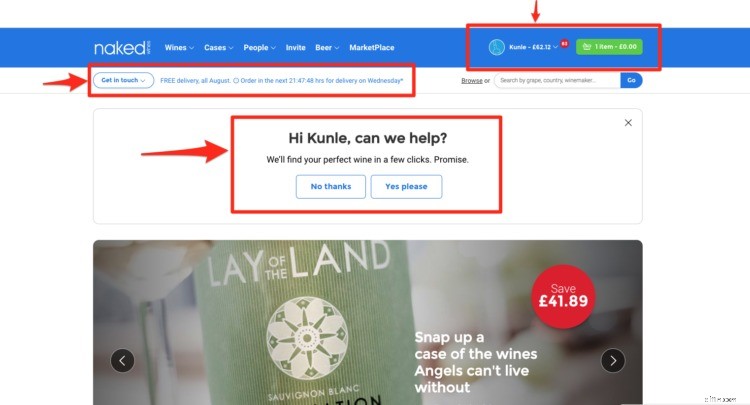
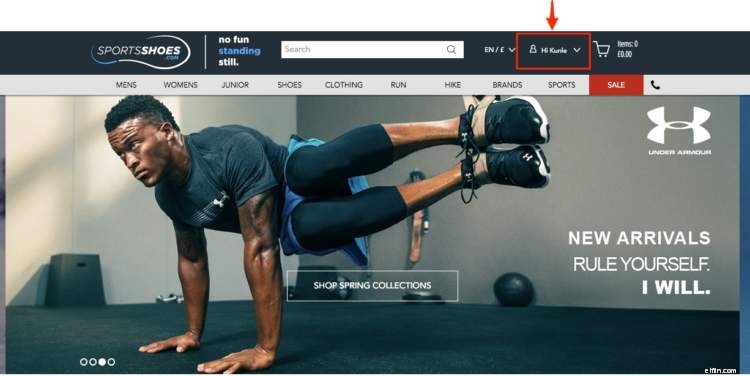
On SportsShoes.com, returning visitors (customers) are addressed by their first name around the shopping cart area.
5: UTM parameters.
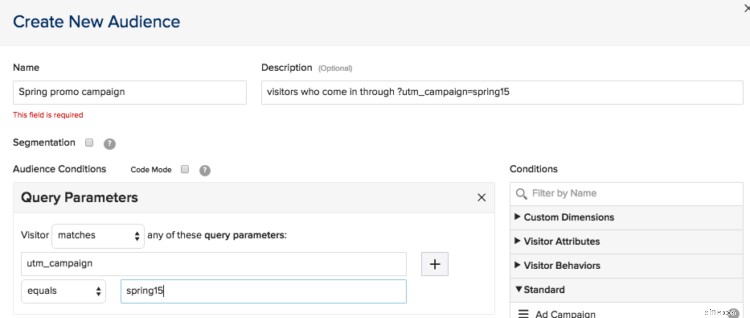
UTM parameters help to define and segment traffic by referral sources, campaign name and content type. Landing pages can be personalized by any or a combination of these three parameters.
All CRO platforms support running A/B split and multivariate tests with UTM tags.
This is a screenshot from Optimizely:
6: Device.
With the dominant use of mobile devices, device based personalization is a fast-growing ecommerce trend.
Personalized content can be served based on device type and/or location.
Mobile or tablet responsiveness or adaptive screens are now a given. The next frontier really is content tailored to mobile devices in a bid to drive conversions.
Here are few ways to serve custom ecommerce content to browsers on mobile devices:
- Merchandising of product catalog pages: Consider featuring best selling products more prominently on category pages for mobile shoppers.
- Unify desktop browsing history: If returning shoppers log into their accounts via a mobile device, ensuring their previous desktop browsing history is factored into the mobile browsing experience will unify their personalized browsing experience.
- Offer social logins: This will help to reduce friction at the point of account registration for first time mobile shoppers.
CRO tools offer basic level segmentation for customized content
The following CRO tools are able to segment traffic as well as serve dynamic content to each traffic segment.
And, because they are CRO tools, you are able to A/B split or multivariate test your choice of vocabulary or Call-to-action (CTAs):
- Omniconvert.
- Visual Web Optimizer.
- Monetate.
- Optimizely.
- Nosto.
- Qubit.
- TrackIf.
- Bunting.
- Barilliance.
- BrainSINS.
Dynamic pricing.
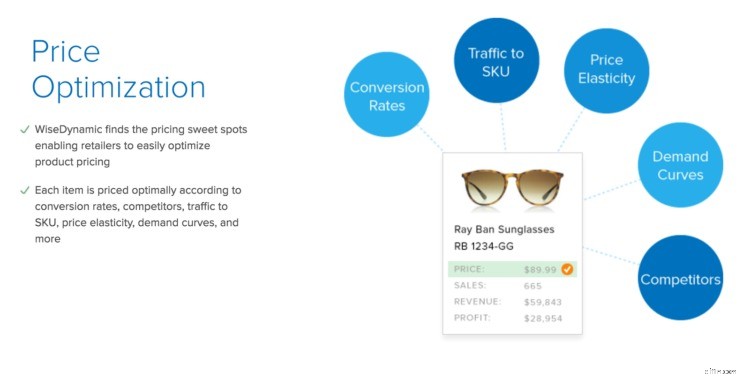
Dynamically re-pricing products based on traffic segments and other factors such as time of the day and competitors’ prices is still an area of personalization exclusive to ecommerce enterprise players.
Only a handful of solutions currently offer dynamic pricing.
At the enterprise level, Amazon and Staples have in the past charged shoppers different prices due to real-time estimations of their incomes and geographic location.
Amazon actually changes prices every 10 minutes.
Other retailers such as Home Depot, Sears, JC Penneys, Macy’s, Cheaptickets, Orbitz, Priceline, Expedia and Travelocity charge higher prices to online shoppers on Mac computers or Android devices.
Online shoppers accessing Home Depot are ‘price steered,’ meaning that they are deliberately shown fewer search results of products in the more expensive price range when browsing category pages or viewing search results from mobile devices rather than a more extensive result listing if they browsed the same category or search results from their desktop PCs.
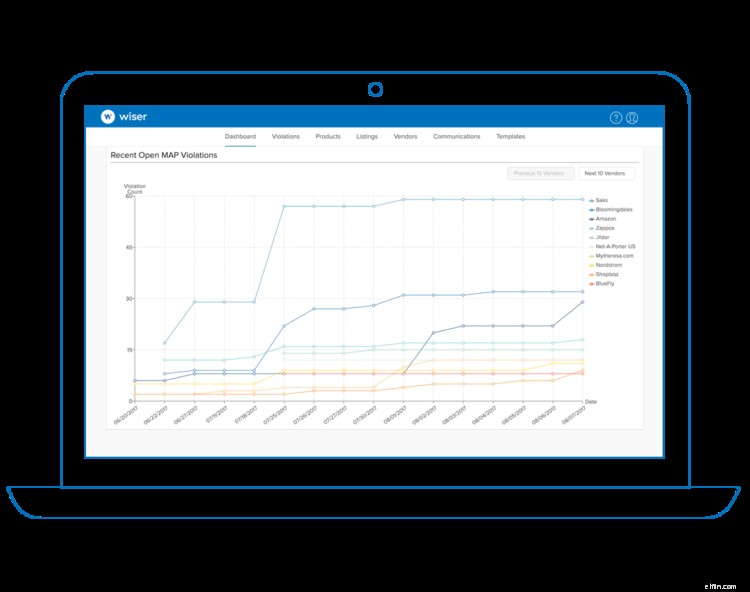
My findings show WiseDynamic by Wiser to be the only major solutions provider in the dynamic pricing space. They cater for both enterprise and mid-tier e-tailers.

Prisync checks prices in your competitors’ stores and auto-adjusts your prices based on rules you set.
Now that you have a full grasp of the fundamentals of personalization based on traffic segments, the next phase of personalization – which will be covered in part 2 of this article – aims to go more granular by recognizing each shopper in varying degrees of detail and offering each shopper a personalized 1:1 experience.
We’ve successfully learned to CRAWL.
BigCommerce's App Marketplace has 600+ Apps You Need to Create a Successful Online Store
Get the apps you need to create a great ecommerce personalization experience for your customers.
Download apps such as:
- Visual Web Optimizer.
- Optimizely.
- And More.
Visit the Ecommerce App Marketplace.
3 Phases of Ecommerce Personalization
Now, following the CRAWL – WALK – RUN approach, we are ready to cover the WALK aspect of personalization –– and transition from one-to-many personalization using segments of traffic to 1:1 personalized marketing.
This involves getting to customize both on-site and off-site customer experiences for each of your customers.
Behavioral Targeting.
1:1 ecommerce personalization is grounded in on-site actions customers take otherwise known as behavioral data.
The idea is to use on-site interactions as signals in order to provide user session context. The moment the context of the user is determined, behavioral targeting can be triggered.
Behavioral targeting goes beyond traditional demographic targeting data (i.e. customer segments based on their age, sex, location, income, etc).
Rather, behavioral targeting layers in more specific actions customers take to get to your site and their ‘on-site behavior patterns’ for the purpose of segmentation, such as:
- The number of previous visits a shopper has made to your online store.
- Their most frequented category pages.
- Guest v. registered members.
- Number of visits registered members have made to your website.
- Their purchase history.
- Their referral traffic source (to enable cohort targeting).
- Their geo-location.
- Device used and more behavioral data variables.
Ecommerce personalization platforms utilize some or all of the above data points in order to predict and then trigger personalized recommendations and content.
The Role of Artificial Intelligence.
Artificial intelligence is a collective set of technologies that enable computers to make human-like decisions at scale as ‘intelligent agents.’
Artificial intelligence now plays a focal point in ecommerce personalization.
Machine learning and data mining are the most promising of AI technologies at the moment because they work at scale by processing big data efficiently, finding patterns in them and making smart decisions or suggestions.
AI is quickly shaping personalization in ecommerce and should be the core technology driving your personalization efforts.
An AI driven personalization platform will generally work as follows,
- Gather shoppers’ behavioral data at scale, e.g. actions taken in every user session such as category and product pages browsed, add to carts, checkout page visits, search queries, coupons applied, purchase data, etc.
- Segment data based on behavioral data collected and predefined rules.
- Take action by making recommendations such as cross-sells, up-sells, on-site and off-site messaging, offering discounts and on-site product recommendations. More advanced personalization platforms will also take into account inventory data in their recommendations.
Every new transaction enables AI personalization platforms to learn more about customers, thereby making recommendations presented to returning customers more and more relevant and accurate over time.
Although humans are able to make personal recommendations, it really is challenging at scale with hundreds or thousands of SKUs and thousands or even millions of customers.
AI enables 1:1 personalized marketing.
Your 1:1 personalized marketing strategy should be broken into the following broad segments:
- On-site targeting:
- Dynamic Content Blocks: on allotted onsite content placements.
- Overlays: Modal pop-ups, header/footer banners, sliders, and pop-unders.
- Merchandising & On-site Personalized Product Recommendations using user session data.
- Off-site targeting
- Pixel-based social media targeting: on Facebook, Instagram, Twitter and Pinterest.
- Transaction one-to-one email automation, i.e. email automation.
On-Site Targeting: Dynamic Content Block
Dynamic content blocks are allocated areas within pages dedicated to replacing and adding content specific to groups or segments of visitors.
Here is an example on ThinkGeek:
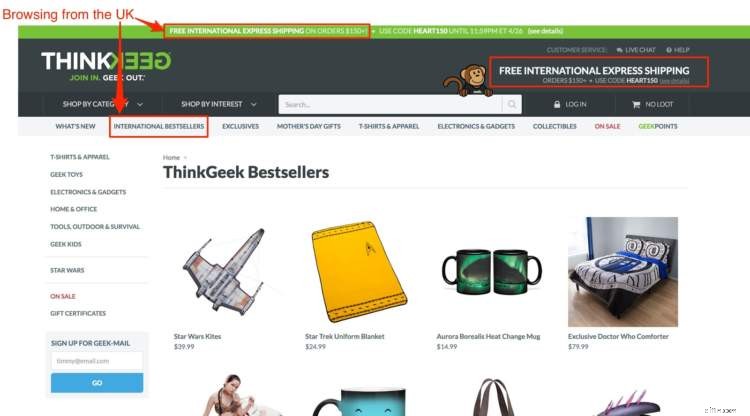
When browsing in the UK, content related to ‘international express shipping’ and ‘international bestsellers’ is displayed.
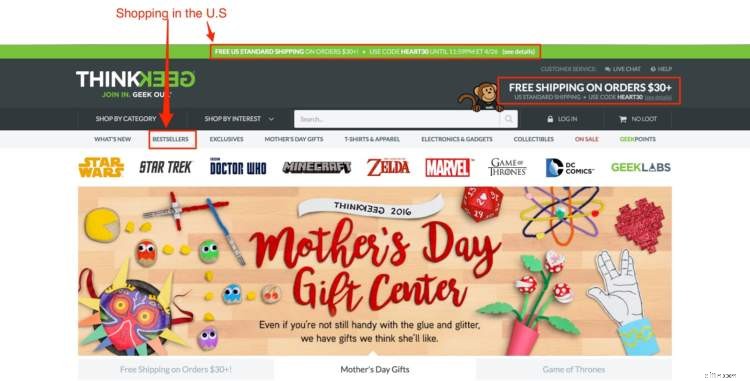
If I, however, browsed the same page in the U.S, the context is ‘Free Standard Shipping.’ Even the order value threshold has been lowered from $150 to $30 for free shipping.
On-Site Targeting: Overlays
With on-site targeting, the options you have at your disposal are modal pop-ups, header/footer banners and sliders.
I will start off with modal pop-ups.
Modal pop-ups.
If you have recently browsed a few ecommerce sites, you will most definitely have come across modal pop-up windows requesting for your email address in exchange for a one-off coupon or some sort of incentive.
Every ecommerce website seems to be doing this nowadays but as they say, the devil is in the detail.
This is especially true when it comes to personalization.
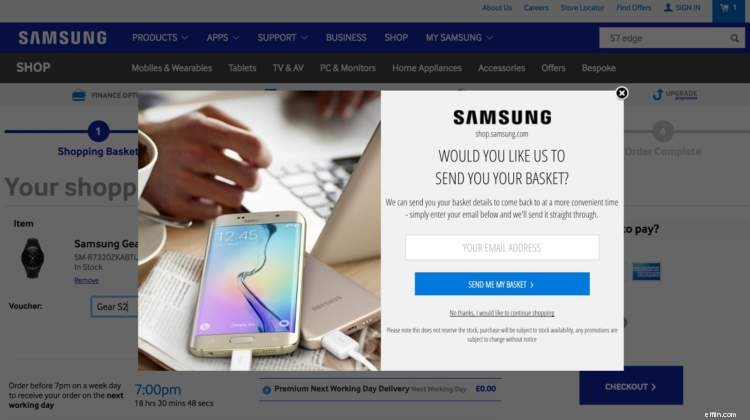
Timing and action based triggers are of absolute importance when it comes to modal pop-ups with an email opt-in.
Take the example above on the Samsung website: when an item is added to a shopping cart and the shopper is about to leave their checkout page, the modal pops up and requests for the shopper’s email so that their basket’s content is ‘saved.’
It has been intentionally placed at checkout to retrieve abandoned shopping and further email marketing.
This is behavioral targeting in action because it is context and action based.
Here are some other ways to trigger modal popups based on the personal circumstances of shoppers.
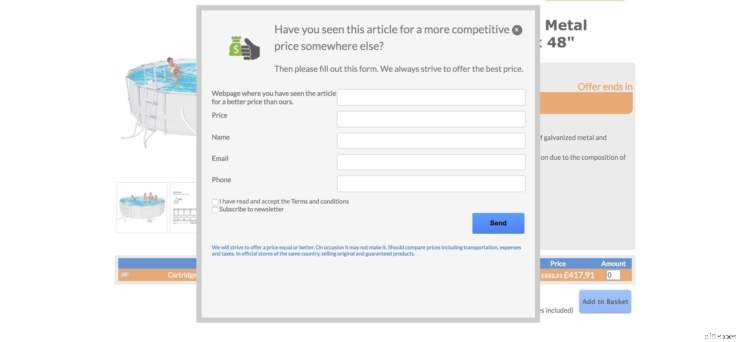
Price matching when a product is just about to be added or has been added to a shopping basket.
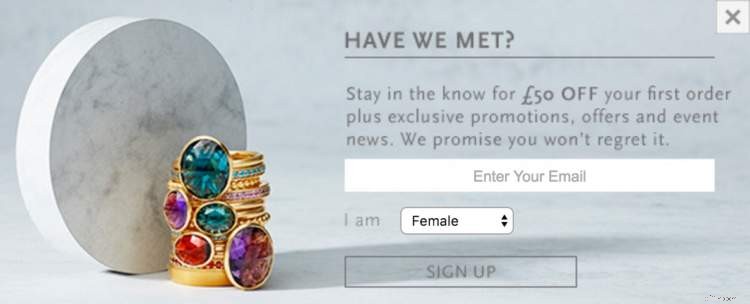
Recognizing new shoppers (or unregistered members) and offering them a coupon in exchange for their email and sex (for fashion retailers).
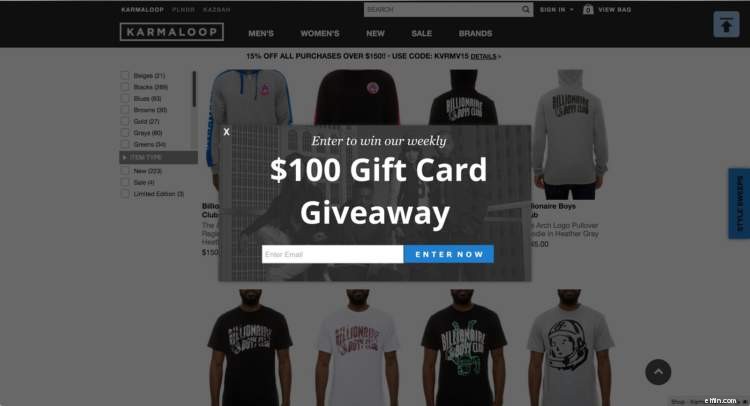
Running giveaways and layering in gamification to only new shoppers.
Here is how Laterooms added a layer of gamification into their messaging and creative in order to potentially drive up more email addresses.
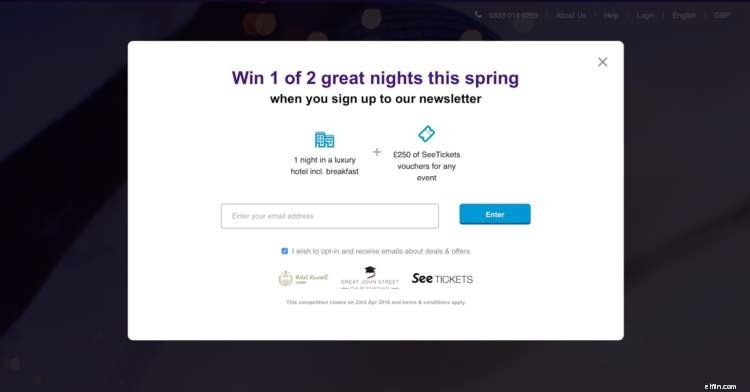
They are asking browsers to enter a competition in order to win a night at a hotel and event tickets.
The objective is to get browsers on their list in order to send more personalized messages and sales.
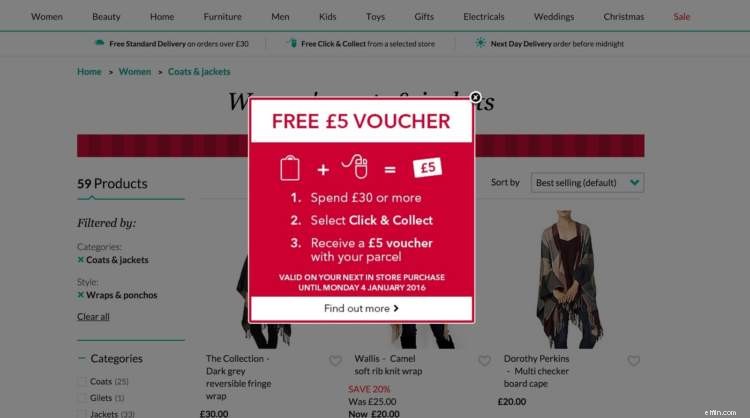
You could also only display vouchers to repeat logged in customers and registered members with at least one transaction under their belt.
Where most ecommerce websites fail with modal popups is with shopper context.
Let the context of the shopper drive your strategy.
On-Site Targeting: Header / Footer Banners
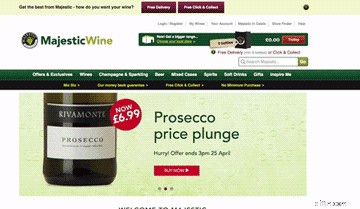
If your engagement data suggests that browsers on your site have modal pop-up fatigue (because most just click the ‘X’ button to close the modal popups you serve), you may want to consider driving key messages, incentives and offers using either header or footer banners such as in the example above.
On-Site Targeting: Sliders and Pop-unders
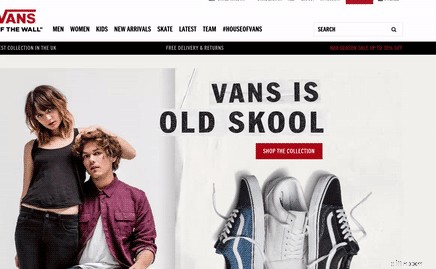
Pop-under sliders have been typically used by online chat services and widgets such as the Google Trust Sites widget.
Pop-under modal sliders are a vastly underutilized means of serving onsite targeted content in ecommerce. It is definitely worth putting pop-under modals in the mix of your on-site targeting arsenal and to test them side-by-side pop over modals.
The technology is simple: a box slides out on the lower left or right corner of pages displaying a bespoke offer. The swiftness of entry is key and the less intrusive their placement, the better.
Recommended Tools
Here are my recommended tools for onsite targeting:
- ExitIntel
- Wisepopups
- Omniconvert
- BrainSINS
- AddShoppers
Dynamic On-Site Personalized Product Recommendations
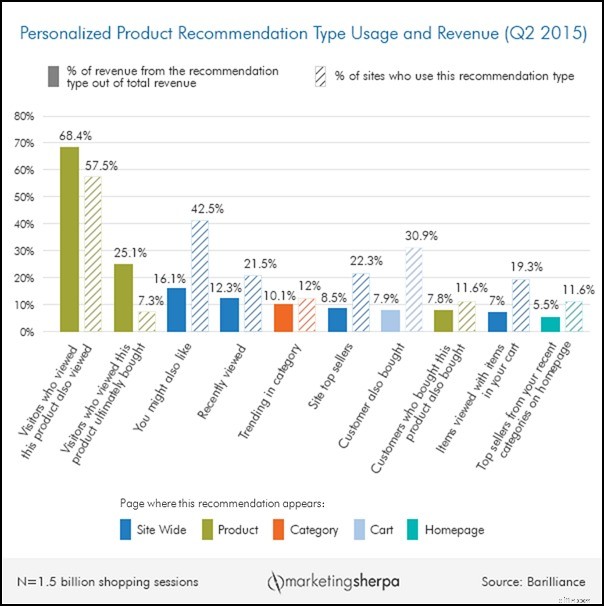
The third and most effective way to drive addition revenue through personalization is with personalized on-site product recommendations, which according to market research conducted by Barilliance and data based on 1.5 billion shopping sessions on sites located in 26 countries across North and South America, Europe and Australia, accounts for 11.5% of revenue on ecommerce sites.
The dynamic product recommendations are based on visitor data, behavior data and session history. The chart below shows Barilliance’s findings and the top 10 product recommendation types that resulted in the highest revenue.
The core objective of on-site personalized recommendations is to drive up the average order value of each shopping session.
In other words, you want shoppers to add more items to their shopping cart with the hope that they checkout with as many if not all the items in their basket.
We do this by utilizing up-selling and cross-selling strategies.
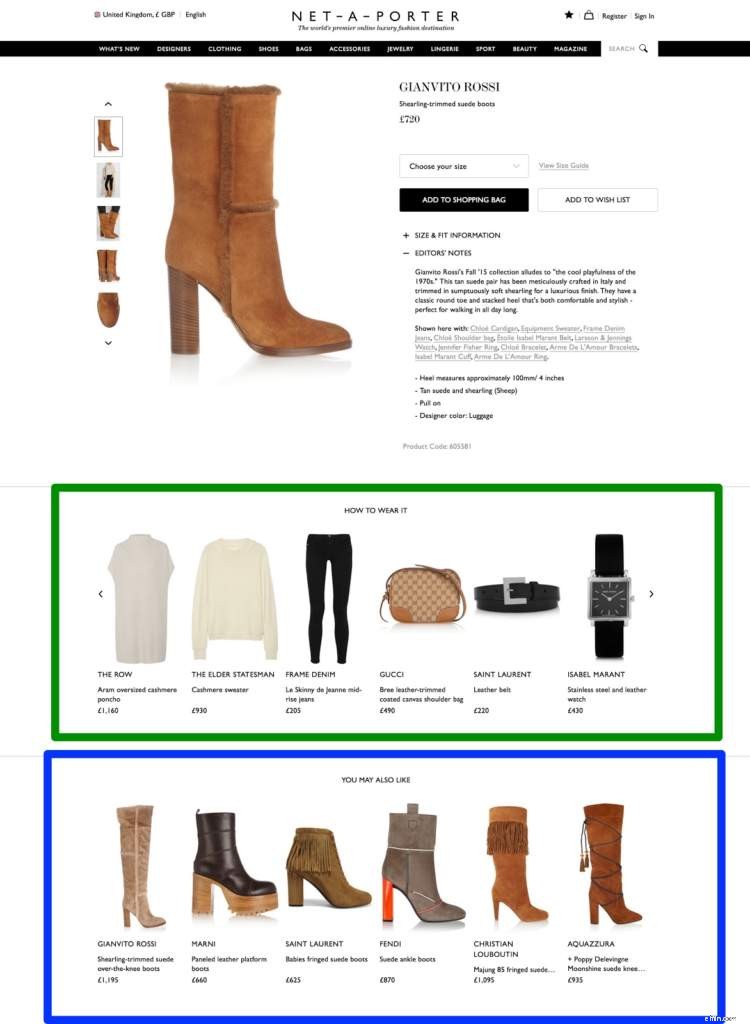
The above is a classic cross-sell tactic implemented by e-tailer Net-a-Porter. The first row below the main product in view is a collection of products that cross-sell and upsell the main product.
The ‘You May Also Like’ items on the second row is a collection of both cheaper alternatives (if the item is out of the budget of the shopper) and up-sells.
Here is another example:
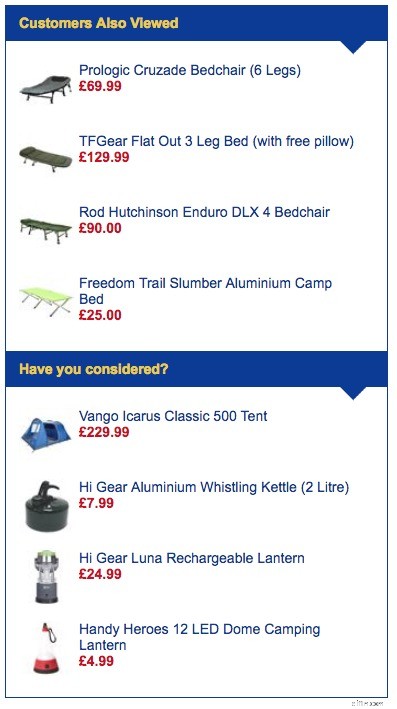
This is a product page recommendation on GO outdoors: it displays two product recommendation units.
The first one is based on similar products to the product in view and the second block is dedicated to the products viewed by the shopper.
Product Recommendations on Checkout Pages
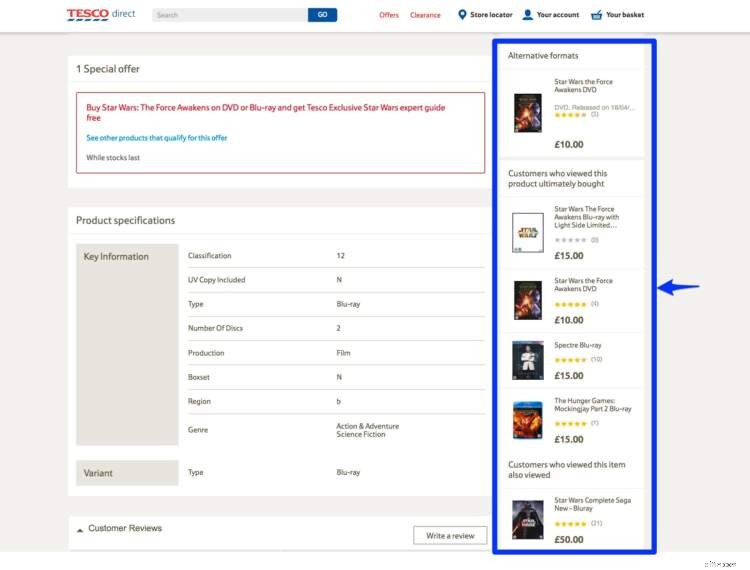
Every item to the right of the product page for the Star Wars: The Force Awakens Blu-ray Disc product page on Tesco Direct is a cross-sell.
The last item at the bottom is actually an up-sell, i.e. buying the complete Saga series.
Pro-tip for the Implementation of Your Cross-sell and Upsell Strategy
Prior to a completion of a purchase, try as much as possible to reserve some real estate on your category and product pages to cross-sell items shoppers are actively viewing.
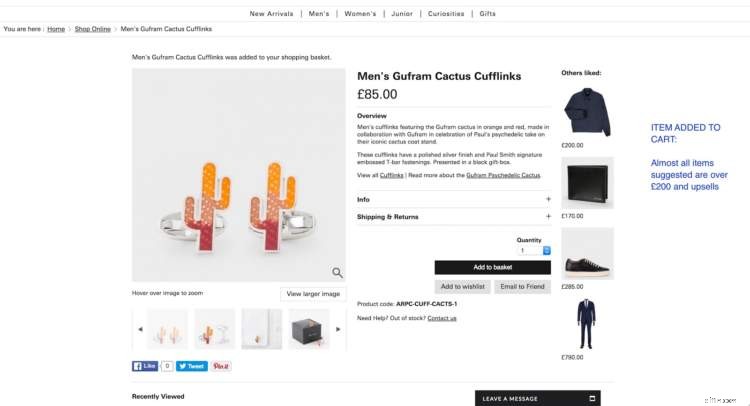
After an item has been added to the cart or at check out, go for the upsell.
Here is an example:
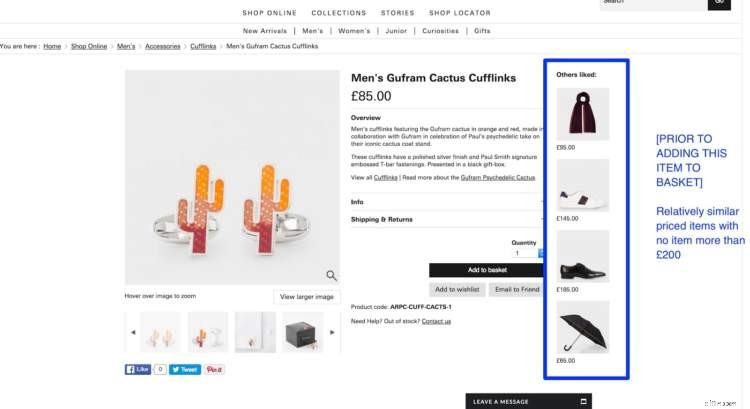
On the Paul Smith website, the cross-sell prior to a basket add are typically lower value in comparison to the recommended ‘similar products’ post basket add.
Another tip is to put recommendations below the fold on product pages so they don’t distract them from the product in view (just like in the Net-a-Porter example).
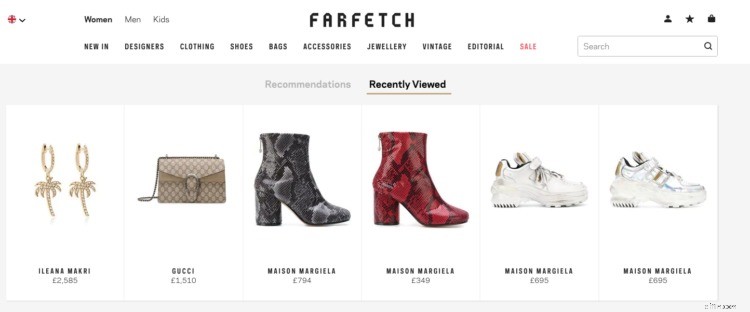
If you layer in behavioral targeting data points such as a customer’s purchase history, their browsing history and items that they have clicked on from previous personalized emails, then you can build a picture of the customer and serve products more relevant to them.
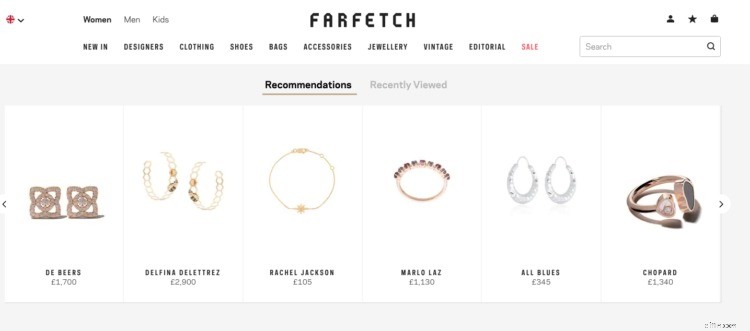
If, for instance, customer A does not typically spend more than $300 per shopping session, you may want to display products from categories that the customer typically buys products from and products that fit the customer’s $300 budget.
This is an advanced use case of behavioral targeting related to up-selling and cross-selling.
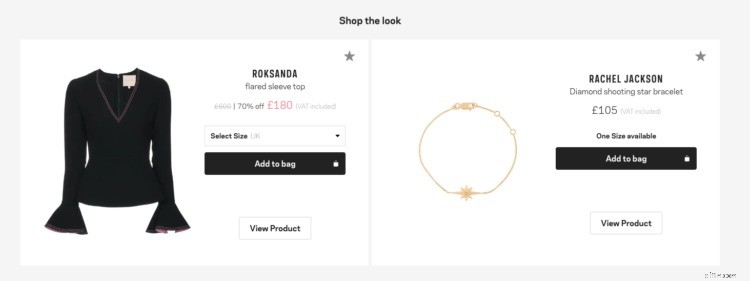
Product pairing using lookbooks in fashion ecommerce also helps increase average order value. With personalization, more accurate pairing is possible.
Your product recommendations platform should natively use the data points I highlighted above related to on-site interactions and if possible also factor in email interactions.
It should allow you to define your product recommendation strategy, the most common of which are:
- Personalized offers on the home page.
- Personalized offers in reserved sections of category pages.
- Similar products and up-sell on product pages.
- Cross-selling and up-selling in your shopping cart page.
Recommended Tools
Here are my recommended tools for personalized one-to-one emails:
- Barilliance.
- Monetate.
- Fresh Relevance.
Off-site Targeting: Pixel Based Social Media Targeting
It is equally critical to deliver a personalized customer experience off-site as it is on-site.
As social media is likely a key channel your store uses to communicate with potential and existing customers, it is vital to create on-site data points in the form of custom audiences on the advertising platforms of all major social media channels.
Here is a summary:
- Facebook & Instagram Audiences.
- Facebook Messenger.
- Twitter Tailored Audiences.
- Pinterest Audience Targeting.
With all of the above platforms, you are able to create custom audiences for retargeting traffic based on:
- All website visits.
- Product page visits.
- On-site Searches.
- Add to Carts.
- Checkout Sessions.
- Purchases.
What is more interesting is that Facebook ad campaigns use product page level product IDs to enable advertisers to send retargeting messages based on behavioral data from the product pages.
A use case is to retarget all add-to-cart sessions of product A that did not purchase.
This enables highly targeted personalized advertising.
The broad traffic segments outlined above still allow advertisers to send tailored advertising messages to each traffic segment on all major social media platforms.
Off-site Targeting: Transactional One-to-One Email Automation
If optimally executed, email marketing remains the primary powerhouse for driving customer loyalty and retention for most ecommerce businesses.
Personalization lies at the heart of the most effective ecommerce strategies.
When compared to general broadcast email marketing, personalized emails are 26% more likely to be opened and 760% better at generating revenue.
The key steps to effectively implementing personalized product recommendation with one-to-one email messaging are:
- Gathering as much email subscriber data as possible with on-site targeting and at the point of registration.
- Identifying customers through purchases.
- Tracking each customer’s interaction with your website.
- Tracking each customer’s interactions with your email marketing.
- Segmenting and extrapolating your top VIP customers.
- Having a single customer view.
Gathering as much email subscriber data as possible.
The most basic data points for email subscriber data are a name and email address.
This is typically retrieved through on-site targeting and at the point of the registration of an account.
Fashion e-tailers should collect additional data about their subscribers such as their gender and date of birth.
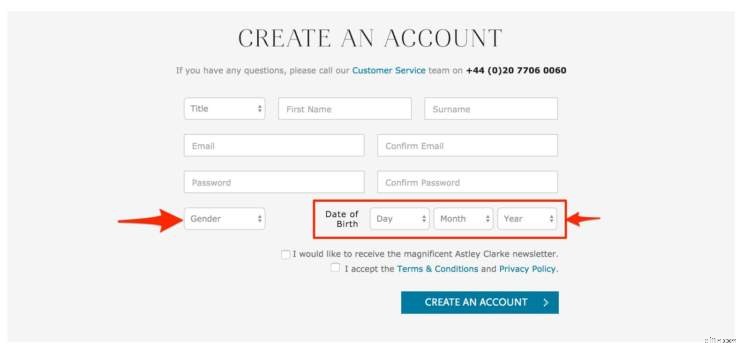
The age or date of birth of subscribers can be used for birthday messaging and more tailored product recommendations that will be relevant to age group interests attributes you may have set to product-sets in your product catalog.
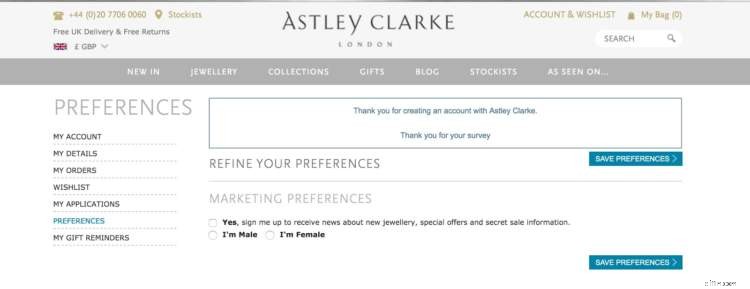
Aim to send new subscribers a welcome email, encouraging them to ‘edit their preferences.’
Here is an example from Astley Clarke.
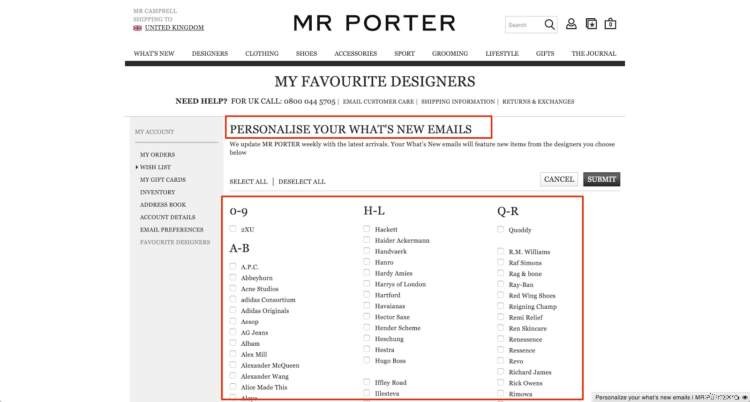
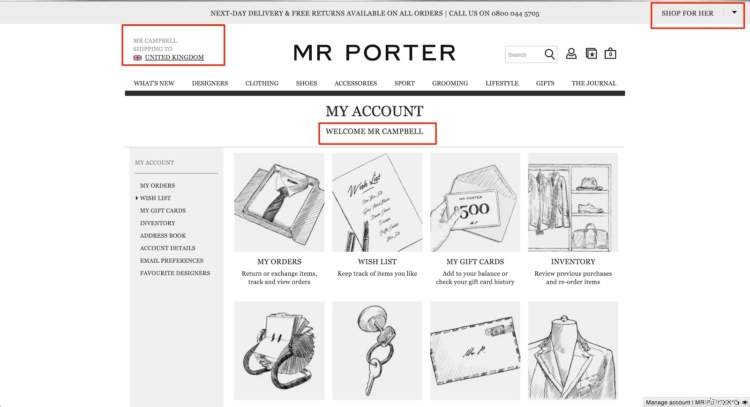
And below is a more comprehensive ‘edit preferences’ page by MrPorter.com based on brands their customers like.
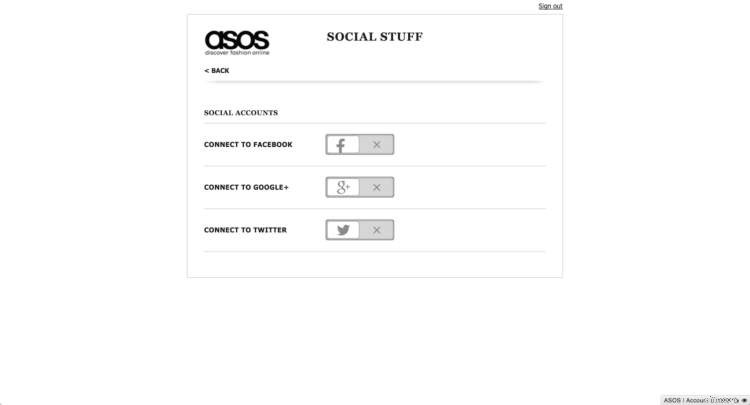
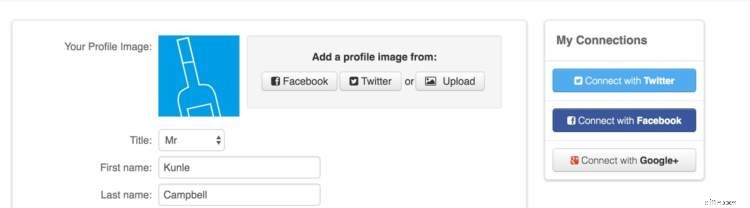
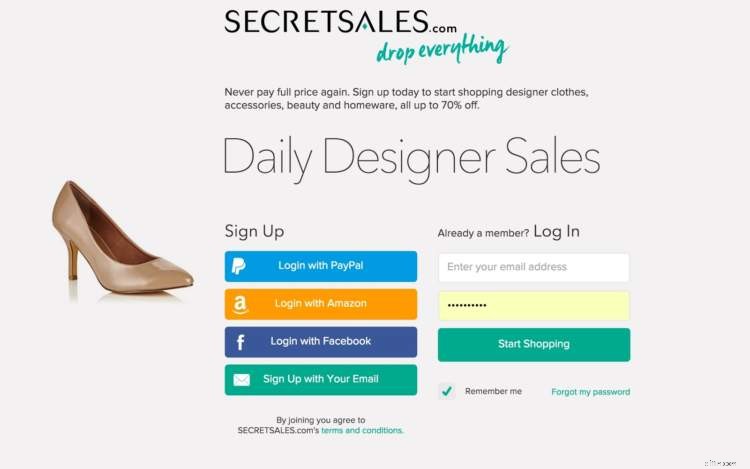
Encourage Facebook logins to retrieve date of birth, gender, locale and other social data points.
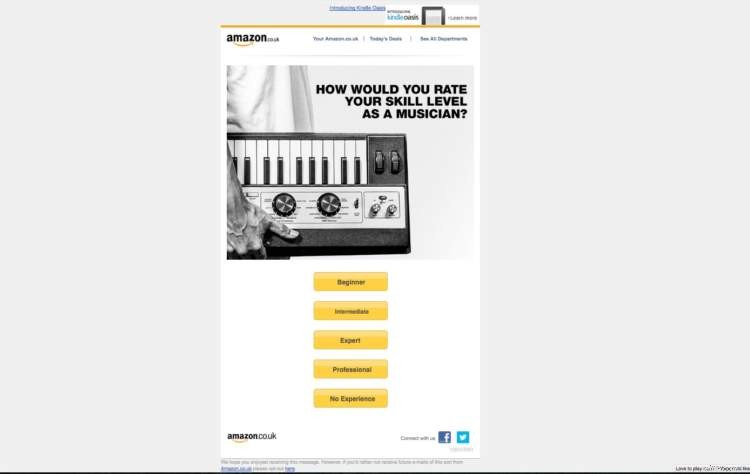
Consider sending drip emails to help build your customer profiles. Amazon sent this email intentionally to help them improve their product recommendations.
Identifying customers through purchases.
Sending each customer emails on the basis of their previous purchases in a bid to upsell, cross-sell or recommend similar products (based on purchase trends of other customers) can help significantly drive up conversions.
One of your selection criteria for an ecommerce email platform should be the platform’s ability to send personalized emails on the basis of the purchase history of each customer.
The platform should, in other words, connect with your ecommerce platform’s customer purchase history database.
And, it should be able to dynamically email each customer personalized product recommendations based on their specific purchase history.
Tracking each customer’s interaction with your website.
Your one-on-one product recommendations strategy can also be based on each customer’s historical interaction with your store.
This will factor in both category and product pages they’ve visited within a specified period of time.
If for instance, no action was taken by a customer within a specific browsing session, an email could be triggered to send them a few of the items they view as well as related items.
Free shipping or a limited time offer could be used as a nudge to lure them back in to make a purchase.
Other customer interactions on your site that should trigger personalized one-to-one emails:
- Abandoned cart messages: to encourage customers to return to purchase items left in the shopping cart.
- Post-purchase transactional emails: thanking customers for purchasing and then including personalized product recommendations.
- New account sign-ups welcome emails: thanking customers for signing up to your store and giving them incentives such as free shipping or a coupon code.
- Send latest products emails: from the category of most interest to each customer.
Tracking each customer’s interactions with your email marketing.
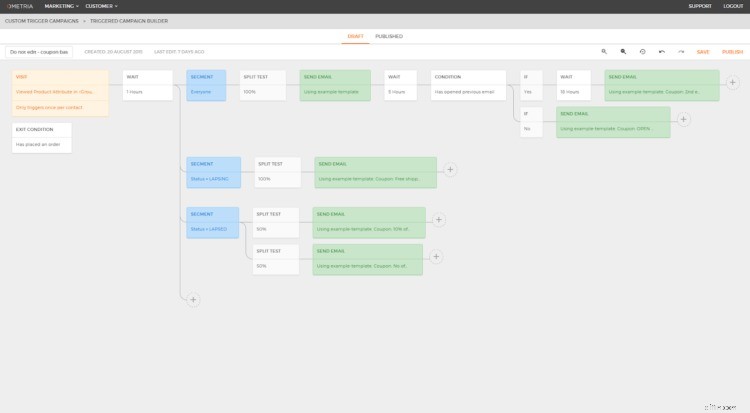
Ometria triggered messaging (source: techcrunch)
Along with website interactions, sending personalized emails based on clicks and interactions with previous emails can be a highly lucrative means of driving more conversions through workflow automation.
If a customer, for instance, has opened a previous email more than three times and clicked on specific product links several times without actually making a purchase, an email could be triggered to send them either an offer or similar products at a lower price range.
The best results from triggered emails are often a result of using data points from interactions with previous emails and interactions with your website.
Segmenting and extrapolating your top VIP customers.
We’ll go into more detail on RFM analysis and the identification of your highest value customers.
The core point to note here is that segmenting your customers into groups based on their purchase power will be a key driver to your one-to-one email marketing strategy.
This will enable you to build out a long-term customer retention strategy.
The general rule of the thumb is that your VIP customers should be treated specially as they will, in most situations, account for 60-80% of revenue.
Having a single customer view: e-CRM.
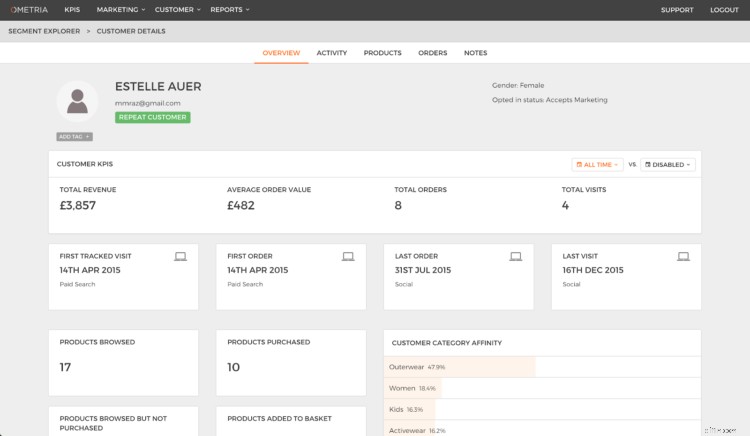
image reference
A final point to note about email personalization is the need to have a single customer view.
This is important for stores handling 5,000 or more transactions a month.
You want to be able to log into a dashboard to view each customer’s transaction history, on-site interactions and email interaction (see the screenshot above from Ometria).
This data will, of course, be consolidated and also segmented to drive more insights that inform your personalized one-to-one email marketing strategy.
Recommended Tools
Here are my recommended tools for personalized one-to-one emails:
- Klaviyo
- ExactTarget
- Bronto
- Ometria
- dotmailer
-

Crypto.com Exchange: A Comprehensive Guide to Trading
Crypto.com is an exchange that opened up for beta testers back in November 2019. The platform bolsters the vision of the company’s CEO, Kris Marszalek, who intends to create a f
-
Polkadot DOT Tokenomics: A Comprehensive Guide to Understanding
Polkadot has now clocked up a year of live mainnet operations, but this summer will mark one of the most significant milestones on its roadmap to date. The Polkadot parachain slot auc
Business
- Green Investing: A Comprehensive Guide to Sustainable Finance
- Meme Stocks: A Comprehensive Guide to Understanding the Phenomenon
- Choosing the Right Bitcoin Wallet: A Comprehensive Guide
- Polkadot Explained: A Comprehensive Guide to the Leading Blockchain
- Ecommerce Product Photography: A Comprehensive Guide for Success
- Ecommerce Analytics Toolkit: Drive Growth with 29 Reports & Actionable Insights
- Holiday Ecommerce Prep: Strategies for Success in 2023
- Effective Budgeting Methods: A Comprehensive Guide
- Understanding Fiduciaries: Your Rights & Financial Protection
-
Invest in a Sustainable Future: Your Guide to Green Energy Stocks & ETFs
Green energy stocks and ETFs are growing in popularity because of an increased focus on global mandates calling for governments, corporations and individuals to reduce their carbon footprint. Green an...
-
Water Stocks & ETFs: Your Guide to Investing in the Future of Water
Investors search for trends, growing industries, and general growth sectors with outlooks for sustained growth. One such sector that could experience rapid growth is the “water” industry. As the world...