
Mobile Check Deposit: A Simple Guide to Depositing Checks on Your Phone
Are you familiar with mobile check deposits?
They’re a super convenient way to deposit your paper checks into your checking or savings account without leaving the house! This means you can deposit checks without going to the bank. Here’s a look at what mobile check deposits entail and tips on how to complete the process.
Better banking for everyone
Fee-free overdraft up to $2001
No hidden fees2
Get paid up to 2 days early with direct deposit3
What is a mobile check deposit?
Mobile check deposits can save you time by depositing your checks remotely, no matter your location or time of day. Instead of making a routine trip to the bank, you can simply take a picture of the front and back of the check with your smartphone or mobile device, and deposit it using a mobile app.
This can help you save time while also checking an item off of your to-do list. Instead of depositing checks at the ATM, a drive-through window, or with a teller, you can add them to your account on the go, whether that’s at home, work, or on vacation. The types of checks you may be able to add to your account using mobile check deposits include personal, business, cashier’s checks, and government-issued checks, including tax refunds and stimulus checks.
How to deposit a check with online banking
Wondering how to deposit a check online? If you’re new to mobile check deposits, it’s not as difficult as you might think. Take a look at these 5 tips that can help you make the most of this feature — and save you valuable time.
1. Check your bank’s mobile check deposit guidelines
The first thing you need to do is make sure the organization you’re banking with is set up for mobile check deposits. The easiest way to do that is to check your mobile banking app or the financial institution’s website for more information.
When you log into mobile banking, head to the menu and look for the mobile check deposit option. If you see it listed, then your app should allow you to deposit checks online.
Before you try to use mobile check deposit, make sure your account is enabled to do so. While the feature may be available in mobile banking, you may still have to register first or sign up.
2. Review mobile check deposit limits
If you know that you’re able to deposit a check through mobile banking, the next step is to determine whether there are any limits on deposits.
For example, some financial institutions impose limits on the number of checks you can deposit per day or per week. There may also be daily, weekly, or monthly limits on the total dollar amount you can add to your bank account using mobile check deposit. These limits can be based on the type of account, your deposit history, or how long the account has been open.
You can usually find out about limits if you read your bank account’s terms and conditions. You can also check your online banking website and look for a section on frequently asked questions. Chime offers Mobile Check Deposit to account holders who have received at least one direct deposit of $1 or more from an employer or payroll provider, government benefits, or a gig economy payer via Automated Clearing House (ACH) transfer or Original Credit Transaction (OCT).
What if your check is outside mobile check deposit limits? In this case, you’ll need to find a work-around for depositing it into your bank account. With online bank accounts, for instance, you may have to deposit the money to a checking account at a brick-and-mortar bank, and then move it into your other account via an ACH transfer.
3. Get your check ready for deposit
Depositing a check online isn’t exactly the same as depositing it at a physical bank or ATM. You still have to sign the back of the check for the deposit to be valid. You should also make sure all the information on the front of the check is correct.
Depending on your bank account, you may also have to provide additional details on the back to denote that it’s a mobile deposit. For example, you may have to add “for mobile deposit” or “for remote deposit capture” below your signature, if instructed to do so.
Also, make sure the writing on the check is legible. Your mobile device needs to be able to “read” the check via the camera when you’re ready to deposit it.
4. Deposit your check via mobile banking
After following these steps, you’re now ready to deposit a check online!
The process can be different depending on your particular bank account. But generally, here’s what you need to do:
- Log into your mobile banking app.
- Find the mobile check deposit option in the menu.
- Select the account you want to deposit the check into (i.e., checking or savings).
- Enter the check amount.
- Snap a photo of the check — front and back. It’s important to make sure you get a clear image of both sides of the check. Otherwise, you may have trouble completing a mobile check deposit. If the images come out fuzzy or blurry, clean off your camera lens. And, make sure you take photos in an area with good lighting so your camera can pick up details on your check.
- Once your device records the images of your check, review the deposit details. Make sure that you’ve signed the check, selected the right account, and entered the correct amount.
5. Wait for the check to clear
After you deposit a check online, you may want to use the money right away. But, you’ll need to wait for the check to clear in your bank account first before accessing the funds.
In the meantime, don’t throw the check away. Why? Because there may be a hiccup with your mobile check deposit. If you don’t see the deposit in your account within a week, you may need to call your financial institution to find out what’s happening. You may also need to try making the deposit again.
Once your mobile check deposit clears in your bank account, you can then write ‘void’ on the check and file it away to keep for your records.
How to endorse a check with mobile deposit
You may be wondering where to properly sign a check through mobile deposit. The good news is that it’s easy and generally a quick process. It’s important to ensure that checks for mobile deposits are properly endorsed. This can reduce any delays in money transfers to your mobile bank account and can protect you from potential fraud.
While endorsing a check appears to be a simple process, there are a few things to keep in mind before signing it:
- Review your signature: When endorsing a mobile check deposit, it’s important to double-check if the name on the front of the check matches the name you sign on the back, with consistent spelling and punctuation.
- Adhere to the “Endorse Here” section: The endorsement area is often on the top back of the check. Make an effort to keep your signature on the line along with other relevant information while endorsing a check for mobile deposit.
- Wait to endorse the check: It’s important to hold off on endorsing your check until you’re ready to make the deposit for security purposes. When a check is endorsed, it becomes negotiable, meaning it can be cashed or deposited by anybody, even if they aren’t the payee.
- Follow the instructions: When depositing a check with a mobile device, make sure you pay attention to the instructions on the app. Although these are usually straightforward, applications are constantly changing and improving, which may mean little changes here and there.
How long does mobile check deposit take?
When you deposit a check to your bank account, the money isn’t typically available right away. Banks usually have funds availability policies that determine how long it takes for a check to clear. Depending on the bank, funds deposited from a mobile check deposit may be available as soon as the next day. Some banks will even make part of the check available right away, with the rest available the next business day.
However, it’s important to know that the bank can hold a mobile check deposit for specific reasons, which means your check will take longer to clear. For example, the bank could place hold on your check if:
- You’re depositing a check for a large amount.
- There are frequent overdrafts in your account.
- It’s believed that the deposited check may not be paid.
If the bank places a hold on the funds, you may receive a notification before finalizing the mobile check deposit. You’d then have the option to continue with the mobile deposit, or cancel it and take the check to a branch instead.
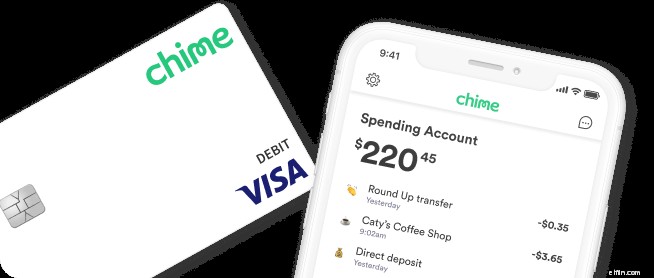
With Chime, your mobile check deposits can be placed in your account as an instant online cash checking. The maximum time for a mobile check deposit to go through is 5 business days (excluding federal holidays).
How long do you have to cash a check?
According to the Uniform Commercial Code, most checks are usually valid for six months (180 days), but banks aren’t obligated to accept them if they exceed that time frame. You may still be able to process an old check if the bank believes the funds are still good. As a general rule of thumb, you should give the original check writer a heads up that you’re planning to cash it in, so they know to expect it or in case they’ve switched financial institutions.
Using mobile cash deposit at Chime
You are eligible to use Mobile Check Deposit as a Chime member based on your history of direct deposit. For example, if you’ve received at least $1 from:
- An employer or payroll provider
- A gig economy payer
- Government benefits
Chime will automatically enable Mobile Check Deposit in your app one business day after you receive your qualifying deposit.
Here’s how to deposit your checks using our Mobile Check Deposit feature:
- Make sure the name on the check matches your Chime Checking Account.
- Sign the back of your paper check, then write “For deposit to Chime only” under your signature.
- Open the Chime app, tap Move Money at the bottom of your screen, then tap Mobile Check Deposit.
- The Chime app will guide you through the rest of the mobile check deposit process — it’s easy!
Using preferred names on mobile check deposits
Following up on the launch of Preferred Names in-app in June of this year, we are expanding our Member’s abilities to interact with Chime and our products using their preferred name instead of a legal name. Chime can now accept mobile check deposits in our members’ preferred names as opposed to their legal ones.
We are thrilled to support our LGBTQIA+ members who may have faced challenges using their legal name on mobile check deposits. We value our members and their own identity and want them to interact with Chime comfortably, on their own terms.
FAQs
How long does mobile deposit take?
Mobile check deposits are subject to verification and are not always available to use or withdraw immediately. Just like a regular check, your bank can place a hold on the funds that you deposit using your mobile device. A common reason for this delay is just depositing your check too late in the day. If you miss the cutoff time for mobile check deposits, then you might have to wait an extra business day for the check to clear and to use the money.
Mobile check deposits may also be delayed if you deposit on a holiday. Banks cannot process deposits on federal and bank holidays, so deposits that would otherwise post on these holidays will be delayed until the following business day.
Is mobile check deposit safe to use?
You should always ensure that the banking app you are downloading to complete a mobile check deposit is reputable and trustworthy. Otherwise, you open yourself up to fraud and other financial issues. Typically, you’ll find directions to your bank’s mobile app directly on their website.
Mobile check deposit is as secure as any other online and mobile banking tool.The main threats to mobile banking security are the same as those for online and mobile banking. If you’re concerned about security risks with making a mobile banking deposit, there are other ways to keep your private information safe, including:
- Avoiding public Wi-Fi when accessing your mobile banking app
- Utilizing unique passwords and updating them regularly
- Locking your smartphone or mobile device using a passcode or facial recognition
Should I hold onto my paper check?
Although making a mobile check deposit shouldn’t take more than a minute, you should probably hold on to the physical check for a few days to make sure the funds are properly deposited into your account. Store a hard copy of your check for at least 5 days. It can be tempting to toss the check directly into the shredder, but that could lead to problems if the bank has a question about the deposit and you don’t have it at your disposal.
Final thoughts
Taking advantage of the mobile check deposit feature at your bank can save you a ton of time in the long run. Although it may take time to learn the process, the time you save will be well worth the learning curve.
Signing up for direct deposit can also save you time. Direct deposit enables recurring payments from your employer or government to go directly into your bank account. However, mobile check deposit comes in super handy if you receive paper checks regularly.
Check out Chime’s Early Direct Deposit³ feature and sign up today to get your money faster and enjoy effortless online banking!
-
Depositing Canadian Checks in US Banks: A Step-by-Step Guide
If you sell goods or services over the Internet or have relatives and friends that live in Canada, you may run into a problem where you receive a foreign check. Although the money is in a different cu
-

Depositing Business Checks: What You Need to Know
If a business check is not payable in your name, talk to your bank about adding a DBA to your account. If you are self-employed or own a small business, you may still use your personal checki
banking
- Mobile Check Deposit: A Comprehensive Guide & Lender Requirements
- Depositing Memorial Fund Checks: A Guide for Families
- Deposit Checks: A Step-by-Step Guide for Savings & Checking Accounts
- Depositing Checks with Incorrect Names: What You Need to Know
- Understanding Cashier's Checks: How to Deposit and Use Them
- ATM Check Deposit: A Simple Guide for Convenient Banking
- Depositing Traveler's Checks: A Comprehensive Guide
- Simple Guide to Making Bank Deposits: Methods & Security
- ATM Deposit Guide: How to Safely Deposit Checks & Cash
-
 Depositing Checks with Multiple Payees: A Comprehensive Guide
How to Deposit a Check With Two Names There are times when a check might be made out to you and another person. When they're refunding overpaid insurance or property taxes, mortgage compa...
-
 How to Properly Endorse a Check for Deposit - A Step-by-Step Guide
For many people, checks are a thing of the past – but not forgotten. While they are no longer as common as they once were, you may receive a check as a payment, a gift or as a refund and, consequently...