
Understanding and Using a 3-Column Ledger: A Comprehensive Guide
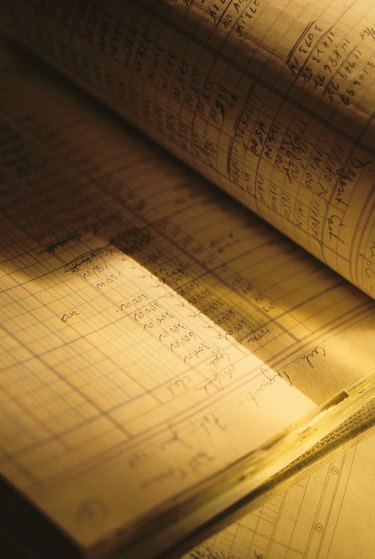
A general ledger allows you to look at all of your financial transactions in one place. The general ledger is the central document in accounting in which you record all transactions. In a manual system, entries are recorded in the general journal and then posted to the general ledger. In an automated system, the same process takes place, but you simply enter transactions and the software posts the entries to the general ledger automatically. The first column in a three-column ledger is the debit column, the second column is the credit column, and the third column is the balance column.
Step 1
Record the entry in the correct ledger account depending on what type of transaction it is. For example, record supplies bought on credit in the Supplies ledger account and the Accounts Payables ledger account.
Step 2
Debit an account and credit an account for each transaction. Account classification controls which transactions you debit and which transactions you credit. Accounts are classified as assets, liabilities, equity, revenue or expenses. Assets are things you own; liabilities are things you owe; equity is what the owner owns or owes; revenue is income earned; and expenses are consumables that are part of the expense of running a business. For example, supplies are expenses and increase with a debit. Accounts Payables is a liabilities account that increases with a credit.
Step 3
Say you buy supplies at a cost of $2,500 with 30-day repayment terms. Increase the expense account supplies by $2,500. Increase the liability account, Accounts Payable, by $2,500 because you now owe $2,500.
Increase the Supplies account Date: 09/27/2009 Description: Supplies Debit (column 1): 2,500 Credit (column 2): [blank] Running Balance (column 3): 2,500
Increase the Accounts Payable account Date: 09/27/2009 Description: Supplies Debit (column 1): [blank] Credit (column 2): 2,500 Running Balance (column 3): (2,500)
Tip
For less than $50, you can purchase financial software that will handle the task of creating the general ledger as you enter transactions. For an electronic general ledger, use spreadsheet software. Some spreadsheet software is available for free, including OpenOffice Calc and Google Docs Spreadsheet.
In accounting, negative numbers are written as -### or (###).
-

American Express Gift Card Guide: How to Redeem & Use
You might have received an American Express gift card from a friend or relative for a special occasion or from an appreciative boss as a bonus for a job well-done. The gift card is pre-loaded with a f
-

QuickBooks for Personal Finance: A Comprehensive Guide
Intuit has two flagship accounting programs: Quicken for personal finances and QuickBooks for businesses. While QuickBooks is intended to be a business accounting software, it can also be used to trac
budgeting
- Household Ledger: Track Expenses & Budget Effectively
- Personal Financial Ledger: A Simple Guide to Tracking Income & Expenses
- Withdrawing Cash with Your EBT Card: A Step-by-Step Guide
- Maximize Savings: A Complete Guide to Using Groupon Coupons
- Costco Debit Card Guide: Payment Options & Acceptance
- Understanding and Using Adding Machines: A Comprehensive Guide
- Budgeting with Ledger Paper: A Simple Guide for Home Finances
- Maximize Savings: A Guide to Using Double Coupons Effectively
- Mastering Online Coupons: A Step-by-Step Guide to Savings
-
 Redeeming Rewards Points: A Complete Guide
Redeem your rewards points online. Many merchants, retailers, banks and suppliers of consumer products and services offer rewards cards. The rewards cards allow customers to accumulate reward...
-
Redeem Walmart Gift Cards at Sam's Club: A Complete Guide
Walmart issues gift cards in physical plastic and digital eGift versions. Walmart owns Sam's Club, so both types of gift cards are redeemable at Sam's Club stores and Samsclub.com. Sam's C...