
Personalized Debit Cards: Design & Customization Options
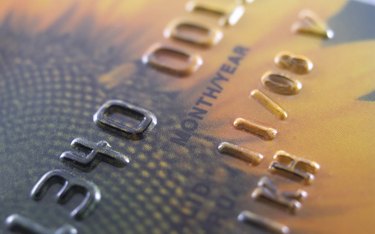
With so many banks offering customers the chance to personalize their debit cards, there's no reason to have the same check card that everyone else has. Add a favorite family photo, the logo of your alma mater, or even your own art. In just a few steps, you'll have a card that will not only catch others' eyes, but will serve as an expression of your personal taste.
Setting Up Your Account
Step 1
Sign up for an account with a bank that allows you to create a custom check card. Some institutions that do this include Wells Fargo, Regions, BBVA Compass, Chesapeake and United Community Bank.
Step 2
Confirm your account and transfer money into it. Many banks do not allow for customized cards until the account is active.
Step 3
Check the image guidelines for your bank card. These vary widely based on the bank, and different institutions require different pixel dimensions and file sizes.
Select and Edit Your Image
Step 1
Choose the picture you'd like to transfer onto the card.
Step 2
Find the desired picture in your computer's file manager. If the file is too large or does not fit within your bank's image constraints, open it with your photo editing software.
Step 3
Adjust your image size according to your photo editing software's instructions.
Step 4
Save the image according to your bank's guidelines. The most commonly accepted file type is .JPEG, although some banks also take .TIFF, .GIF, .PNG or .BMP formats.
Step 5
Check your file size. If the file is too large for your bank's image guidelines, save the photo as a new file and adjust the quality downward until it's the size you want.
Step 6
Upload your image to the card.
Tip
Choose a bold photo with strong lines and colors for your card. Because the image will be sharing space with your name and account number, the nuances of a detailed photo may not come through.
Warning
Most banks will not allow the use of copyrighted characters, political symbols or symbols perceived to be inflammatory or offensive. Check your bank's guidelines for details.
When altering your photo for your debit card, be sure to save it as a separate file so that you are able to keep an original copy.
Things You'll Need
Bank account
Image
Photo editing software
-
Debit Card Fraud: How to Dispute Unauthorized Charges & Cancel Your Card
Debit card theft is a frustrating ordeal that may leave you in debt. Debit cards offer much less protection from liability than credit cards, which means it may be more difficult for you to r
-

Debit Card Fraud: Recovering Stolen Funds & Protecting Your Account
Electronic fund transfer using a debit card relieves shoppers of the hassle of writing checks, carrying large amounts of cash and making frequent trips to the ATM. But when someone gets your personal
budgeting
- Debit Card Restrictions: Why They Happen & How to Resolve Them
- Activate Your PayPal Debit Card: A Quick & Easy Guide
- Track Your Debit Card Purchases: A Comprehensive Guide
- SunTrust Debit Card Activation: 5 Easy Methods
- Costco Debit Card Guide: Payment Options & Acceptance
- Cancel Automatic Debit Card Payments: A Step-by-Step Guide
- Debit Card Activation: A Simple Guide to Getting Started
- Debit Cards: A Comprehensive Guide to Getting Your Own
- Avoid Debit Card Fees & Protect Your Finances: A Comprehensive Guide
-
 Decoding Debit Card Numbers: What They Really Mean
Have you ever wondered if there is any logic behind the numbers that banks and credit card companies put on debit and credit cards? It turns out that the numbers aren't random, but instead indicat...
-
 Capital One Debit Card: Application & Replacement Guide
How to Get a Capital One Debit Card To get a Capital One debit card, you need to have a Capital One account. You can open a Capital One 360 Checking account online, and other types of account...