
Secure Your Credit Card: How to Change Your PIN
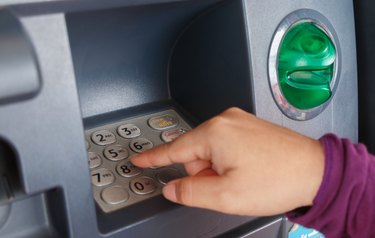
Banks have introduced credit cards with chips and personal identification numbers as a way to combat fraud and to make your credit card transactions more secure. Although individual bank policies may vary, you can usually change your credit card PIN number at the card issuer's branch, by phone, online at your bank's website and at an ATM.
Depending on the institution and method, you might receive a temporary PIN to use since banks usually like to send your PIN to your documented mailing address for security purposes. It could take up to a week to get the PIN, and you may opt to change it to something you can better remember.
Getting New PIN in Person
You can have your PIN reset at any of the card issuer's branches. So, you can check your credit card issuer's website to look for a locator tool to see if there's any location near you.
If you visit a branch, you'll need to bring your credit card and at least two pieces of current identification to confirm that you are the cardholder. If you're unsure if your identification is valid, call ahead and ask what you can use. A driver's license and a passport usually are good choices, since they both have photos.
You may also have to answer questions about your address or transactions to help confirm your identity.
Calling the Bank
If you can't visit the bank in person, you can change your PIN number over the phone by calling the customer service number on the back of your credit card. Be prepared to answer questions about your address, provide your security password, and possibly answer questions about your credit card limit or balance to prove who you are.
Calling the customer service line works if you've forgotten your PIN or mistyped it and are locked out of ATMs. Your bank will often reset the PIN remotely and give you a set amount of time to visit an ATM to select a new PIN.
Resetting a PIN at an ATM
If your credit card was issued by a bank with offices and ATMs, a quick and convenient option is that bank's ATM. You'll need to know your current PIN to make the change. Enter your credit card and watch for an option about change the PIN or password.
Changing a PIN Online
If you're registered for online banking, you also can request a new credit card PIN at your bank's website. Look for an option that lets you request a new credit card PIN. Keep in mind that you may need to know the current PIN for this to work. Otherwise, you'd need to call or visit a branch to get a PIN mailed to you.
Taking Care of Your PIN
Keep your PIN private. When you change your PIN, try not to pick a number that someone else could easily guess, like a birthday or street number for a house. Also, avoid writing it down and storing it in your wallet with your credit card.
If your wallet is lost or stolen, someone may find the PIN in your wallet or use your identification to figure out a pin. Change your PIN seasonally or every six months for extra security.
-

Credit Card Reconciliation: A Step-by-Step Guide to Accuracy
Woman with credit card and paper statement. Reconciling your credit card is just as necessary as reconciling your checking account at the end of the month. If you carry a balance on your card
-

Yamaha Credit Card Payment Guide: Everything You Need to Know
Woman holding credit card, using laptop. Yamaha Motorsports issues credit cards through Yamaha Motor Finance Corporation in partnership with WebBank. This revolving credit card account can be
credit card
- Update Your Payment Method for E-ZPass: A Quick Guide
- Adjusting Your American Express Payment Due Date: A Simple Guide
- Verify Your Credit Card: A Quick & Easy Testing Guide
- Update Your Credit Card Billing Address: A Simple Guide
- Recovering from Credit Card Theft: Steps to Take Now
- Personalized Credit Cards: A Guide to Photo & Custom Designs
- Secure Your Debit Card: Guide to Changing Your PIN
- Updating Your Name on Credit Cards: A Step-by-Step Guide
- Updating Your Medicaid Address: A Step-by-Step Guide
-
 Discover Credit Card Activation: A Quick & Easy Guide
Activating a credit card is a simple process. Before you try to use your new Discover credit card, you'll want to make sure it won't be declined. That means you'll need to activat...
-
 Freezing Your Credit Card Account: A Step-by-Step Guide
Credit card issuers permit card holders to freeze credit accounts for a variety of reasons. You can complete the process on your own without the help of a credit counselor; however, you must make a fo...