
Seamless Microsoft 365 & CRM Integration | Really Simple Systems
Integrate Your CRM With Office 365
If you use Microsoft business applications, you’ll be pleased to learn we have launched a new native integration with Microsoft 365 (known previously as Office 365) to help manage your organisation.
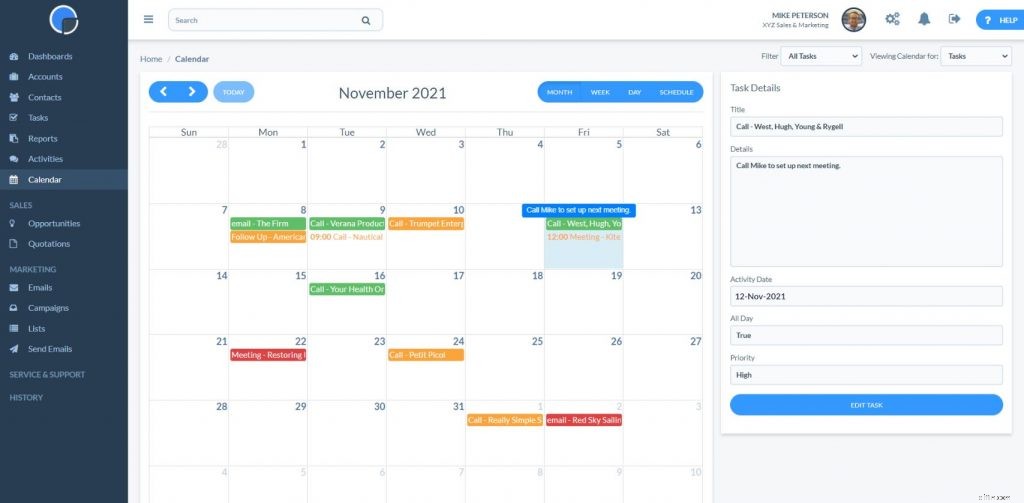
This new integration means you can seamlessly connect your Microsoft 365 (MS 365) account with your Really Simple Systems CRM, giving you the ability to add and edit contacts, manage tasks and sales opportunities, and so preserve a complete record of your interactions.
We’ve been running a beta test for the development over recent months, and we’ve been excited to see how well this new integration has been received and great to see so many customers keen to test. With the development now live for all users, you can easily set up your accounts to synchronise your contacts and calendars, without duplication across platforms. The automated synchronization means you can maintain your contact records and keep calendars updated in real-time, without leaving the CRM, providing greater efficiency with everything in one place.
Our founder and CEO, John Paterson, commented: “The Really Simple Systems CRM integration with Microsoft 365 is our latest move to support small and mid-sized businesses, providing a streamlined user experience that supports growth and relationship management. We know from feedback this is a popular development for our customers, helping them move to a full cloud working environment.”
This Microsoft 365 integration compliments our existing email integration, MailSync™, and Single Sign-On integration through Microsoft Azure.
How It Works
Integrating the two systems creates a folder in MS 365 titled “Really Simple Systems”. Only contacts added to this folder will be synchronised with your Really Simple Systems CRM.
As your Really Simple Systems CRM is “account based”, to capture contacts from Microsoft 365 that do not have an associated company name, a CRM account titled “From Office 365″ will be automatically created in your CRM and updated.
Office 365 Sync
Updating every 5 minutes, all accounts linked to Office 365 are checked for new, edited or deleted contacts and tasks, and synchronises the data. The data updates by duplicating the data across both systems, except for contacts and tasks deleted in Office 365 which will not automatically be deleted in the CRM.
OFFICE 365 INTEGRATION SUPPORT
-

Startup Launch Checklist: Essential Steps for Success
So you’re getting ready to finally launch your startup? This is an exciting time, albeit filled with anxiousness, late nights, constant planning, meetings, pitches and caffeine. By this poin
-

5 Common Money Mistakes & How to Avoid Them
Odds are youve made at least one of these mistakes.
Customer relationship management
- Streamline Team Management with CRM Software
- HIPAA Compliance for CRM: Ensuring Data Security & Privacy
- New CRM API: Integrate CRM with Any System for Enhanced Efficiency
- Maximize Your CRM: A Guide for Company-Wide Utilization
- Really Simple Systems Integrates with Microsoft Azure for Enhanced CRM Security
- Zapier Integration: Automate Workflows with Your CRM
- Optimize Your CRM: Best Practices for Data Hygiene & Efficiency
- CRM VoIP Integration: Enhance Customer Service & Efficiency
- Boost Productivity: 5 Essential CRM Integrations for Business Growth
-
 AirPods Issues After iOS 14.6: Troubleshooting & Solutions
Some product names just make you feel good when you hear them. You know they're the best there is at whatever it is they're selling, so you feel confident parting with your dollars, especially...
-
 ETFs vs. Stocks: A Beginner's Guide to Diversified Investing
ETF and stocks provide different investment returns for an individual investor. It is appropriate to consider investing in an ETF contact when an individual investor lacks the cap...