
Watch ESPN Without Cable: 6 Best Streaming Options in 2024
Is losing access to sports preventing you from cutting the cord? If you love college football or the NFL you need ESPN. Thankfully, there are six legit streaming services that let you watch ESPN without cable or satellite.
In this article, we’ll assist you in deciding which option is best for live sports.
How to Watch ESPN Live Without Cable
An expensive cable contract is not necessary to watch SportsCenter, Pardon the Interruption, or First Take.
There are multiple ways to get ESPN without cable, at a fraction of the cost.
If you like to watch Fox Sports 1, many of the same providers also carry that channel.
1. fuboTV
FuboTV is an excellent streaming platform for sports fans. Thanks to its wide array of add-ons, fuboTV is the top choice for people who want live sports.
FuboTV includes ESPN and ESPN2 in all of its packages. Its base package, Pro, offers roughly 110 channels, which is more than any other live TV streaming service.
The service is a near cable-like replacement, offering popular features such as:
- The ability to stream on ten devices simultaneously
- Recording capacity of 1,000 hours on its cloud DVR
- Works on anything that has a screen
The service also has 4K streaming capability, but you must sign up for the Elite plan to receive it. And, you get all of your local networks in both plans.
What Other Sports Channels Does fuboTV Offer?
ESPN and ESPN2 are not the only sports networks carried by fuboTV. You also get FS1, FS2, and a host of other sports channels.
Some of the top channels include:
- beIN Sports
- BTN
- CBS Sports Network
- NBC Golf
- NFL Network
- TUDN
The Pro package includes approximately 30 sports channels and Elite offers nearly 50. You can further customize your lineup with one of their nine sports-specific add-ons.
If you’re a fan of international sports, fuboTV is your best choice. If you want access to all of the professional sports networks, fuboTV is also your top choice.
Read more about the fuboTV channels here.
2. Sling TV
Sling TV is the cheapest way to watch ESPN without a TV provider. It has two base packages, Orange and Blue. If you specifically want ESPN and ESPN2, you want to select Orange.
Blue doesn’t include the sports giant, but it has FS1. If you want both networks, you will need to select Sling Orange + Blue for $50 per month.
Orange has about 32 channels, and Blue 42 channels. The combined package has 50 channels. Think of Sling as close to an a la carte viewing experience.
*Related: Do you want to break free of cable but overwhelmed at where to start? Sign up for our course to learn the steps you need to cancel cable and save $100+ per month.*
Popular Sling TV features include:
- Ability to stream on three screens with Blue
- Wide selection of add-ons to enhance your channel lineup
- Recording capacity of 50 hours on its cloud DVR
- Works on anything with a screen
One drawback is that Sling only carries FOX and NBC in select markets in its Blue package. You will need an antenna to get your locals.
Read our guide on ways to watch NBC live without cable to learn about other options.
If you don’t have one, Mohu antennas have always performed well for us. Use the code FRUGALRULES10 to receive a ten percent discount on your Mohu antenna.
What Other Sports Channels Does Sling TV Offer?
Orange includes ESPN and ESPN2. Blue includes FS1. Other sports networks include:
- ESPN3 (Orange)
- NFL Network (Blue)
- Stadium (Orange and Blue)
You can add the Sports Extra add-on for $11 per month to increase your sports content. It has 14 channels, including the ACC, SEC, and Pac-12 Networks, as well as the LHN, all of which are popular with college football fans.
If cost is a concern, or you want to customize your sports offerings, Sling TV is your best choice.
Read more about the Sling TV packages here.
3. Vidgo
Vidgo is a newer player in the cord-cutting space. It’s a terrific way to stream ESPN without cable as it offers the popular network, plus ESPN2, ESPNU, and ESPNews.
Vidgo’s “Plus” package costs $10 less than bigger players like YouTube TV, albeit carrying a similar number of channels.
But they also have a “Premium” package for about $25 dollars more that includes more than 112 channels.
Some popular Vidgo features include:
- The ability to stream on three devices at once
- Works on anything with a screen
- Social viewing features like creating real-time polls and live-react videos
Unfortunately, Vidgo doesn’t currently have a cloud DVR. They say one is coming in the future, but there is no set date.
The streaming service focuses on encouraging social interaction while watching TV. It does this by letting users watch shows with friends and family.
What Other Sports Channels Does Vidgo Offer?
Vidgo offers a lot for sports fans. Not only do you get the ESPN family of channels, other popular networks offered include:
- ACCN
- BTN
- FS1
- FS2
- LHN
- NFL Network
- Pac-12 Network
- SEC Network
Vidgo only offers ABC and FOX. You will need an antenna to get your other local channels. If you don’t need a lot of bells and whistles, Vidgo is a good alternative to get live sports.
4. Hulu Live
Hulu Live is an excellent way to stream ESPN online. The cable replacement includes the parent network, ESPN2, ESPNU, ESPN College Extra, and ESPNews in its base package.
Like YouTube TV and Vidgo, the service has approximately 80 channels. You also get ESPN+ and Disney+ at no additional charge to see sports and entertainment content.
Other notable features include:
- Works on anything with a screen
- Unlimited cloud DVR recording capacity
- Access to its popular library of original content
- Can simultaneously stream on two devices
Hulu with Live TV includes all local networks, so there is no need for an antenna.
What Other Sports Channels Does Hulu Live Offer?
Hulu Live is a good streaming service for live sports fans. In addition to the full-suite of ESPN channels, other prominent sports networks include:
- ACCN
- BTN
- CBS Sports Network
- FS1
- FS2
- NBC Golf
- NFL Network
- SECN
You can get additional sports action with its Sports add-on. It costs $10 per month and provides six additional networks, including NFL RedZone.
Hulu Live is best for sports fans who also want a wealth of on-demand content.
Read more about all Hulu channels here.
5. DIRECTV STREAM
DIRECTV STREAM (formerly known as AT&T TV) is another top choice to get ESPN without a cable provider. You also receive ESPN2 in its base package.
DIRECTV STREAM has four package offerings, with the higher-end ones costing nearly as much as cable.
However, those packages also include free HBO MAX for three months, as well as other premium channels for free.
Other features of note include:
- Can simultaneously stream on 20 devices
- Works on anything with a screen
- Unlimited DVR capacity, though recordings expire after 90 days
DIRECTV STREAM also includes local channels.
What Other Sports Channels Does DIRECTV STREAM Offer?
DIRECTV STREAM carries ESPN in all of its packages. Other sought after networks include:
- ACCN (Choice, Ultimate, and Premier)
- CBS Sports Network (Ultimate and Premier)
- ESPNU (Choice, Ultimate, and Premier)
- ESPNEWS (Choice, Ultimate, and Premier)
- FS1 (all packages)
- FS2 (Ultimate and Premier)
- NBA TV (Choice, Ultimate, and Premier)
- SECN (Choice, Ultimate, and Premier)
DIRECTV STREAM is best for sports fans who want ESPN and regional sports networks.
6. YouTube TV
YouTube TV is another great way to stream ESPN without cable. The live streaming service includes the main network, plus ESPN2, ESPNews, and ESPNU in its channel package.
The service has one plan, with roughly 90 channels. Other popular features include:
- Unlimited DVR storage capacity
- Can simultaneously stream on three devices
- Works on anything with a screen
YouTube TV also includes all local networks.
It costs $64.99 per month for 90+ channels, including local networks.
What Other Sports Channels Does YouTube TV Offer?
In addition to the ESPN family of channels, the service carries other beloved sports channels. Top options include:
- ACCN
- BTN
- FS1
- FS2
- MLB Network
- NBA TV
- NFL Network
- SECN
If those aren’t enough, you can purchase the Sports Plus add-on for $11 per month. It includes thirteen additional sports channels.
*Related: Are you a basketball fan, but want to cancel your expensive contract? Read our guide on ways to livestream NBA games and save big bucks.
YouTube TV is best for fans who also want the professional sports networks, not including NHL TV.
How Can I Watch ESPN for Free?
The best way to watch any ESPN channel for free is to take advantage of a free trial to a live TV streaming service.
Current free trials are:
- fuboTV – seven days
- Sling TV – no permanent one offered, but often has one for three days
- Vidgo – seven days
- Hulu Live – none offered
- DIRECTV STREAM– five days
- YouTube TV – seven days
There is no other way to stream the channel for free. Any website claiming a free ESPN live stream is not legitimate and is often full of spam.
What is the Cheapest Way to Watch ESPN?
Sling Orange is the most affordable option to watch ESPN without cable. At $35 per month, you receive the sports giant plus roughly 30 additional channels.
You can combine Orange with Sling Blue for $50 per month total to also get FS1.
How to Stream ESPN Online
You can watch ESPN online through the ESPN+ app. For $9.99 per month (or $99.99 annually), ESPN+ offers you a way to watch live sports without cable.
While it’s not a replacement for the channel, it does offer additional sports content that isn’t available on the network for a low monthly fee.
ESPN+ lets you watch:
- MLS live
- One NHL game a day
- One MLB game per day
- One exclusive NFL game for the 2022 season
- Original programming like 30 for 30
- Lots of on-demand sports events
In addition, you can watch live boxing (including PPV events), cricket, rugby, and tennis. If you don’t need access to all ESPN live sports content, ESPN+ might be a good option.
Read more about the platform in our ESPN+ review.
If you want to watch ESPN without cable, the cable alternatives are a better choice.
When you consider that cable subscribers pay $7.21 per month for ESPN and $9.06 for ESPN, ESPN2, ESPNU and the SEC Network), paying $20 – $40 per month for a streaming service makes more sense.
Another option for how to watch ESPN online is with a Watch ESPN subscription. However, it requires a cable subscription.
Can You Watch ESPN on Apple TV, Chromecast, Fire TV, or Roku?
Yes, it is possible to get ESPN with any streaming device.
All of the streaming providers have apps for the major devices.
Additionally, all of the streaming platforms have apps that work with iOS and Android and most Mac and Windows-based computers.
Summary
If you are tired of paying for cable, but losing access to live sporting events scares you, you have choices.
From Sling Orange at $35 per month to fuboTV for $69.99, there are excellent, contract-free ways to watch ESPN without cable. Both offer reliable service, for far less than your cable contract.
If you want to watch SportsCenter without cable and other sports content, a high priced bill is no longer necessary. Pick a streaming provider you like and pocket the savings.
What is one channel you can’t live without?
-

Hiring a Lawyer Without a Retainer: Options & Strategies
You can try to negotiate the terms of a retainer fee, including having it waived. A retainer fee is a prepayment of an attorney's legal fees. The retainer, which is paid by the client to
-

Comcast Discounts: Save Money on Your Cable & Internet Bill
An image of a man watching TV. Cable television can be expensive. It may be seen as a luxury and not a necessity, but most people seem to feel as though they can't live without it. While
Savings
- Best Ways to Watch Football Without Cable in 2024
- Cut Cable Costs: Affordable Alternatives for Streaming TV
- Best Cable TV Alternatives in 2024: Save Money & Stream
- Watch Better Call Saul Season 6: 3 Affordable Streaming Options
- Top Tier Affiliate Programs 2024: A Comprehensive Guide
- Top Stock Market Careers in India: 2024 Guide
- Watch ESPN Without Cable: 6 Best Streaming Options in 2024
- Best Ways to Stream College Football in 2024: A Comprehensive Guide
- 23 Affordable Weekend Getaways for 2024: Budget-Friendly Escapes
-
 Top Budgeting Systems You Can’t Live Without
If you want to get rich but have a cavalier attitude about spending, chances are you’re going to have a hard time reaching your goal. Take my word for it: If you don’t get your spending under co...
-
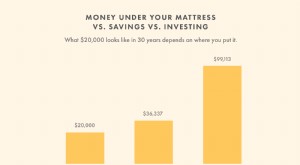 Effective Money-Saving Strategies: Build a Secure Financial Future
You can save money in all sorts of ways. You can put cash in a safe. You can simply mentally categorize a certain amount of money in your checking account as “savings.” But it’s crucial to put savings...