
Credit Card vs. Smart Card: Key Differences Explained
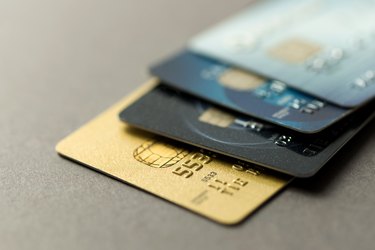
A smart card contains a special embedded microprocessor, which is a computer processor on a microchip. The microprocessor is located under a gold pad on the side of the card. Credit cards and smart cards may have a similar appearance at first glance, but a traditional credit card only features a magnetic strip and nothing inside. Some credit card companies have replaced traditional "swipe and sign" credit cards with smart cards to help curb fraud and protect you from hackers.
Security Features
Credit cards require you to swipe the magnetic strip and sign. The magnetic strip is easily read, written, duplicated or altered, which can result in theft and security breaches. The microprocessor on a smart card makes it nearly impossible to copy, due to the use of cryptographic algorithms. If a hacker gains access to your smart card number and attempt to make a traditional plastic duplicate card, it won't work in the store. However, if your card number falls into the wrong hands, the technology doesn't stop thieves from making fraudulent purchases online or over the phone.
Although a smart card can be lost or misplaced just like any other card, they can be disabled right away to prevent authorized use. Once the card is disabled, no one will have access to your stored financial or personal information.
Programming and Storage
Unlike a credit card, a smart card can be programmed to store information and applications. The cards aren't just linked to a bank account or line of credit. You can store your emergency medical information, driver's license number or even phone calling cards. Some colleges issue students smart cards that allow them to gain access to buildings and make purchases on campus.
Reader Requirements
Smart cards require special readers, but bank-issued debit cards or credit cards also contain a magnetic strip so you can use your card at locations without the reader as well. Instead of swiping your card, you'll need to insert the chip side of the card into the reader. "Contactless" smart cards don't require actual contact with a reader. Instead, the card uses radio frequency induction technology to communicate with the terminal. You'll still need to enter your Personal Identification Number or sign your name to complete the transaction.
If you have a smart card and the merchant runs your card using the swipe and sign method, the merchant will be liable for any fraudulent charges.
Risk of Damage
While the magnetic strip on a credit card can demagnetize, smart cards aren't invincible either. Microchips are subject to physical and chemical damage. Heat, extreme cold, water or other environmental factors also can damage the microchip, rendering it unreadable.
-
Top Credit Cards of 2024: Rewards & Benefits | Millennial Money
Millennial Money has partnered with CardRatings and creditcards.com for our coverage of credit card products. Millennial Money, CardRatings and creditcards.com may receive a commission from card issue
-

Rewards Credit Cards: A Comprehensive Guide to Earning Perks
div.cus
budgeting
- Platinum vs. Titanium Credit Cards: Key Differences & Benefits
- Millennials and Credit Cards: Understanding a Generational Shift
- Understanding Credit Cards: Types, Benefits & Choosing the Right One
- Debit Card vs. Credit Card: Key Differences Explained
- Difference Between Secured and Unsecured Credit Cards
- Credit Card vs. Debit Card: Understanding the Key Differences
- Charge Cards vs. Credit & Debit: Understanding the Difference
- Student Credit Cards: Requirements, Benefits & Comparison
- Top Credit Cards for FICO Scores 700-749 | [Year]
-
 Top Credit Cards for Credit Scores 700-749 | Millennial Money
Millennial Money has partnered with CardRatings and creditcards.com for our coverage of credit card products. Millennial Money, CardRatings and creditcards.com may receive a commission from card issue...
-
 Top Rewards Credit Cards of 2024 | Millennial Money
Millennial Money has partnered with CardRatings and creditcards.com for our coverage of credit card products. Millennial Money, CardRatings and creditcards.com may receive a commission from card issue...