
Manage Your Payment Method on Your NOOK Device
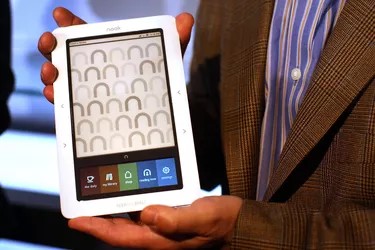
The NOOK uses your Barnes & Noble default payment method to purchase digital products.
Image Credit: Spencer Platt/Getty Images News/Getty Images
The NOOK's versatility as a digital reader makes it a handy office device, allowing users to keep a library notes and references on-hand at all times. If you have a NOOK Tablet's, the device's usefulness compounds, by its ability to run apps and browse the Internet while on the go. When purchasing digital products, such as e-books and digital periodical subscriptions, the NOOK uses your Barnes & Noble payment method. If you'd like to change the default credit card for your NOOK, either log into the Barnes & Noble website on any Web browser or use the NOOK Tablet's in-device settings screen.
Web Browser
Step 1
Launch your Web browser, open the Barnes & Noble website, and then log into your user account.
Step 2
Click the "My Account" menu and click "Account Settings."
Step 3
Click "Manage Default Payment" in the "Payment" section.
Step 4
Click the "Add New Payment Method" link.
Step 5
Enter your new credit card details in the boxes provided and click the "Save" button.
Step 6
Click the "Make Default" button next to the new credit card.
NOOK Tablet
Step 1
Press the "N" key on the NOOK Tablet and tap the "Settings" icon.
Step 2
Tap the "Shop" icon in the "App Settings" section.
Step 3
Tap the "Manage Credit Cards" link.
Step 4
Tap "Add New Credit Card" and enter your new credit card details. Tap the "Save" button when finished.
Step 5
Tap the "Make Default" button next to the new credit card.
-

Cash for Soda Cans: Find Recycling Centers & Earn Rewards
In some states, "cash for cans" programs allow you to trade in soda cans and other recyclable beverage containers for a cash deposit that you put down when you buy the items. Exactly which b
-

COVID-19 & Your Finances: Navigating Financial Impacts & Relief
If you have questions about the coronavirus and how the current situation might impact your finances, you’re not alone. Our editors are working diligently to bring you the latest news
credit card
- Credit Card Debt & Lawsuits: When Can a Creditor Sue You?
- HP Credit Options: Applying with Bill Me Later
- Credit Card Cash Advance: How to Withdraw Cash & Fees
- Greenlight Debit Card: Financial Literacy for Kids - How It Works
- Credit Card Over Limit: Fees, Consequences & How to Avoid
- Activate Your Chase Emerald Card: A Quick Guide
- Using PayPal at Walmart: A Complete Guide
- Mastercard Gift Card Balance: Easy Ways to Check Your Funds
- Lost or Stolen Debit Card? Immediate Cancellation Guide
-
 Trim: Automate Bill Negotiation & Save Money - Get a Free Analysis
Tons of budgeting tools can help you spend less money, but Trim does something unique: It searches your bank account for ways to cut the expenses you may not even know about.A forgotten gym membership...
-
 Understanding Accounts Receivable Aging: A Comprehensive Guide
Accounts receivable aging refers to a management technique used by accountants to evaluate the accounts receivablesAccounts ReceivableAccounts Receivable (AR) represents the credit sales of a business...